
Inspector 8.0 unifies digital twin, live building data, alarms, work orders, and AI assistance for faster troubleshooting and consistent execution.
Build and navigate facility 3D scenes by building / floor / system / asset. Click any asset to view parameters, status, and live dashboards. Use spatial tools such as measurement, section cuts, and transparency for better inspection.”
Maintain a complete digital asset file: specifications, documents, brick schema based relationships, status monitoring, maintenance plans, inspection plans, and full history—ready for audits and optimization.
Unify multi-source alarms (environment + equipment). Confirm alarms, trace source data, and generate maintenance tasks with intelligent recommendations.”
Create, dispatch, execute, and verify work orders in one closed loop. Support manual creation, scheduled triggers, or automatic creation from IoT alarms—with tracking, remote assistance, and acceptance.”
Search manuals and history with natural language, get AI-assisted fault diagnosis and recommended actions, and auto-fill work orders to reduce documentation burden and speed up response.
Support Green Mark compliance workflows by making sustainability-related operational data and maintenance evidence easier to collect, organize, and trace. This module leverages Inspector’s unified monitoring + work-order records to help teams prepare documentation and verification evidence for Green Mark assessment activities.
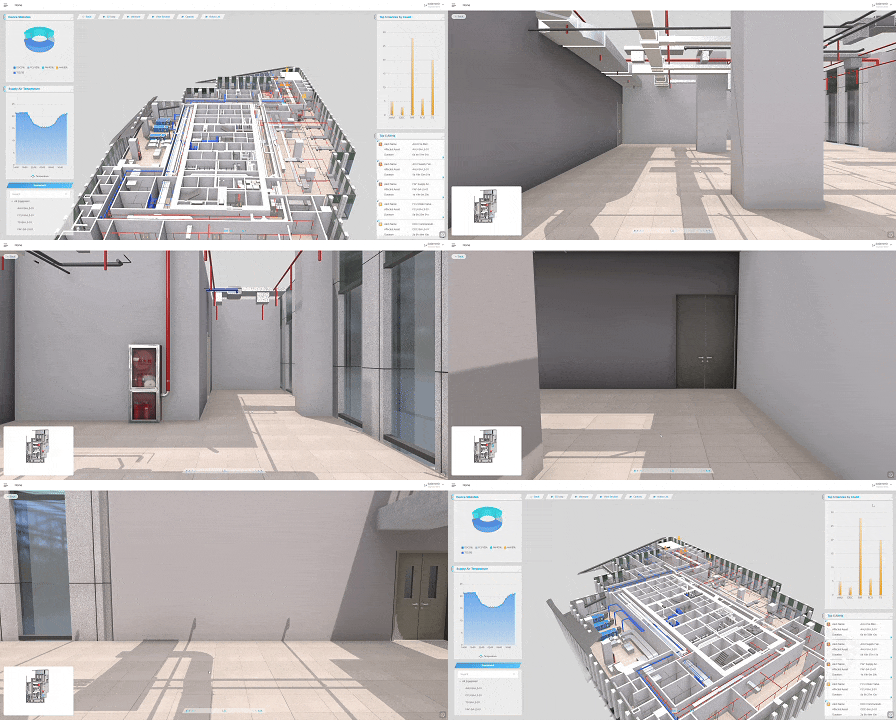
Immersive 3D views support roaming, layered facility layouts, asset click-to-inspect, and spatial analysis tools—making inspection faster and more accurate.
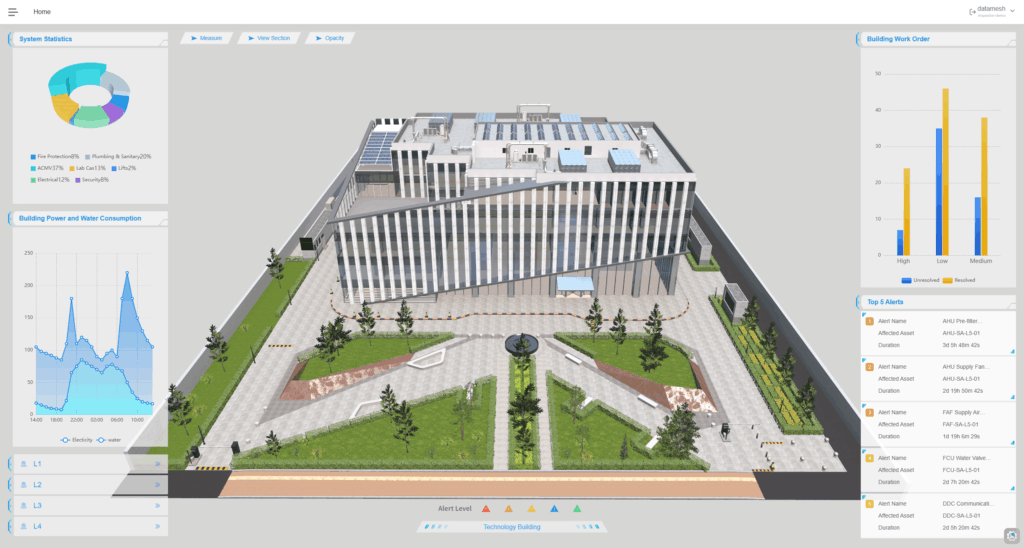
Dashboards summarize asset distribution and health; alarm monitoring prioritizes by severity and zone; work-order Kanban makes dispatch, execution, and acceptance transparent.
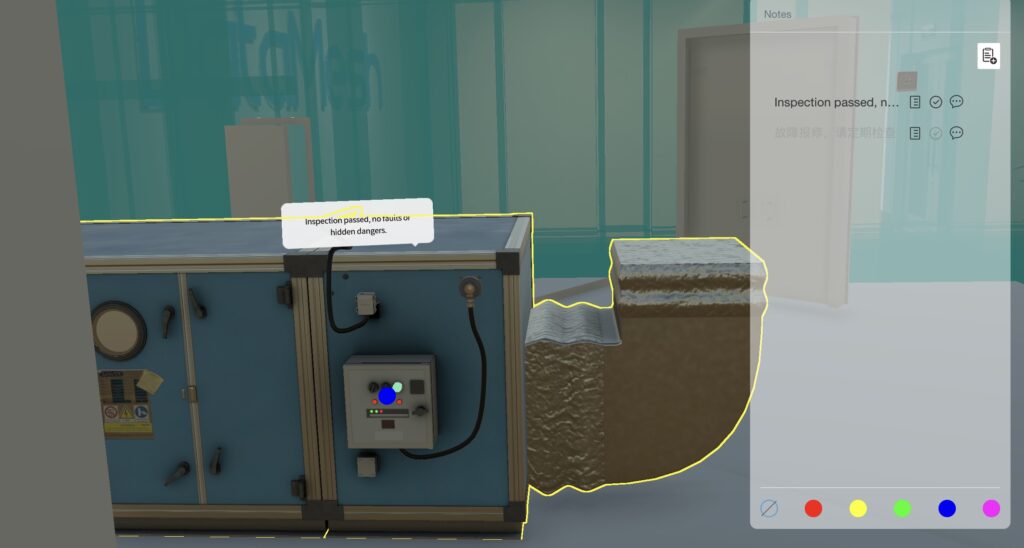
Align digital models 1:1 with the physical environment, follow step-by-step navigation routes, and ask AI for parameters, cases, and SOP guidance—improving safety and consistency.
Implementing DataMesh Inspector begins with assessing your organization’s specific maintenance needs and defining clear objectives, such as reducing downtime or enhancing inspection accuracy. Next, evaluate your existing systems, including BIM models and facility BMS, to identify integration points. Collaborate with DataMesh or an authorized partner to configure the platform, ensuring it aligns with your workflows. Prepare and consolidate necessary data, create digital twins of your facilities and equipment, and define user roles and permissions to secure task management. Conduct a pilot phase to test functionalities and gather feedback, followed by comprehensive training sessions for your team. Finally, roll out DataMesh Inspector organization-wide, continuously monitoring performance metrics and optimizing workflows to maximize efficiency and effectiveness.
Integrating data from other systems into DataMesh Inspector is streamlined through DataMesh FactVerse DFS (Data Fusion Services). This service allows seamless connections with industry-standard platforms like Honeywell Forge and IBM Maximo, consolidating real-time operational data, equipment status, and work orders into a unified view. Utilizing APIs and pre-built connectors, organizations can effortlessly route data from diverse sources into DataMesh Inspector, ensuring consistent and accurate information flow. Additionally, support for Brick Schema standardizes data representation, facilitating easier integration and interpretation across various systems. Collaborating with DataMesh experts during the setup process ensures that all connected systems communicate effectively, enabling automated alerts and optimized maintenance schedules.
DataMesh Inspector currently supports AR hardware such as iPad and iPhone, providing users with portable and user-friendly devices for on-site guidance and inspections. These mobile devices are ideal for technicians who need flexibility and ease of use in the field. Additionally, while the standard iOS AR client is being phased out, DataMesh is transitioning to a more customizable client design based on customer requests, allowing for future integration with next-generation AR glasses. For enhanced immersive experiences and hands-free operation, organizations are encouraged to adopt AR glasses as they become available, further improving maintenance efficiency and enabling more interactive, real-time collaboration during inspections.
Green Mark is assessed by Singapore’s Building and Construction Authority (BCA) using a scoring system and verification process; certification outcomes depend on the project’s actual design/operations and BCA review. DataMesh Inspector provides workflow and evidence support to help organizations prepare.