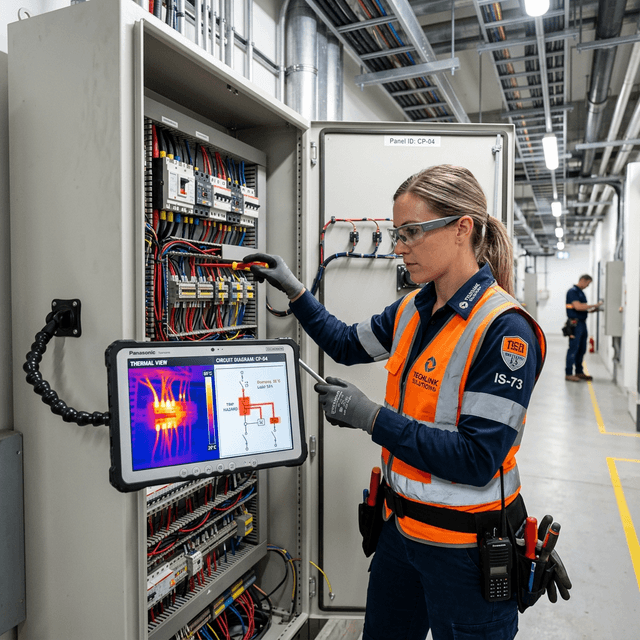
Electrical panel inspection
Overlay thermal imaging data and circuit diagrams on electrical panels during inspection rounds, highlighting connections that need attention based on AI analysis.
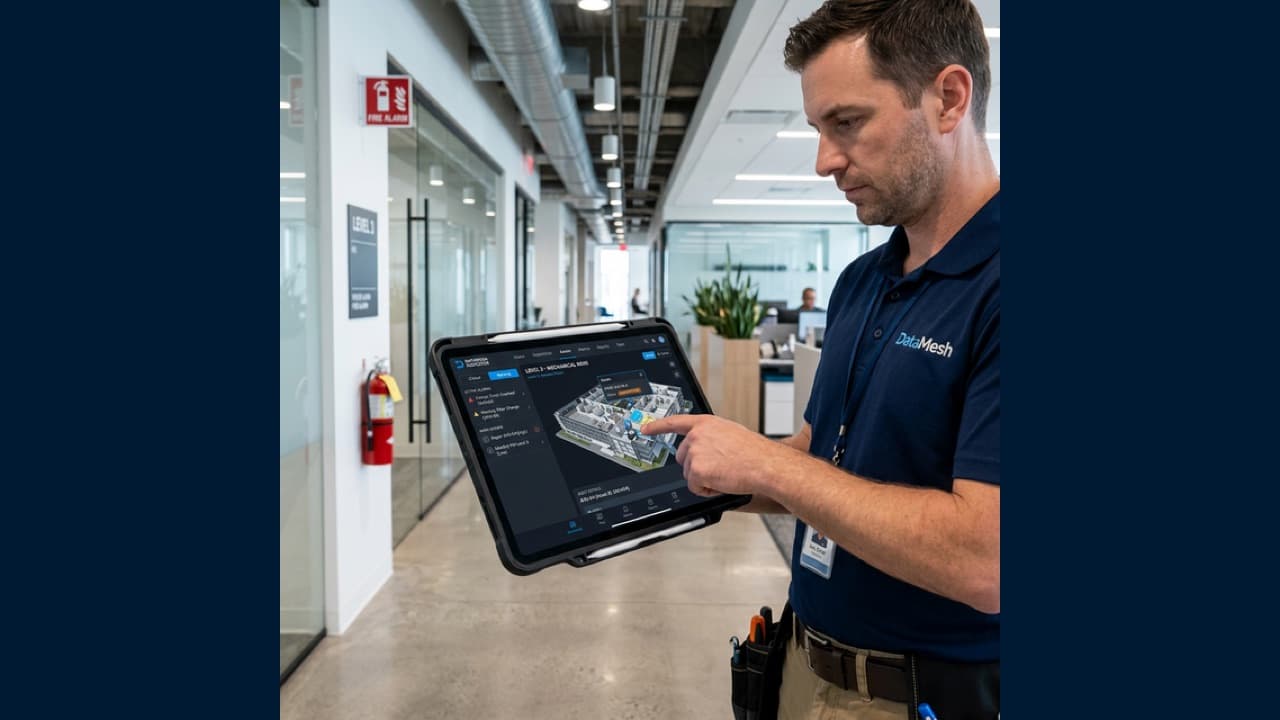
See the Data Where the Equipment Is
Bring digital twin context, live data, checklists, guided procedures, and expert knowledge to the physical point of work through mobile and AR/MR inspection workflows.
Connect data, workflows, and field execution so teams can understand context, act faster, and keep work traceable.
Bind inspection points, routes, asset locations, and safety notes to the digital twin so technicians can follow the right sequence in the field.
Show relevant status, alarms, trends, maintenance history, and operating context near the equipment with fewer switches between disconnected screens.
Turn expert procedures, equipment manuals, and decision trees into guided steps that help teams check symptoms, conditions, and next actions.
Capture photos, notes, status updates, measurements, exceptions, and corrective actions as part of the Inspector work-order record.
Share first-person views, asset context, and inspection evidence so remote experts can review the situation and help the field team decide what to do next.
Deliver inspection guidance on mobile devices, tablets, and supported AR/MR devices depending on the field workflow, safety requirements, and hardware policy.
Practical applications and proven success scenarios across industries.
Overlay thermal imaging data and circuit diagrams on electrical panels during inspection rounds, highlighting connections that need attention based on AI analysis.
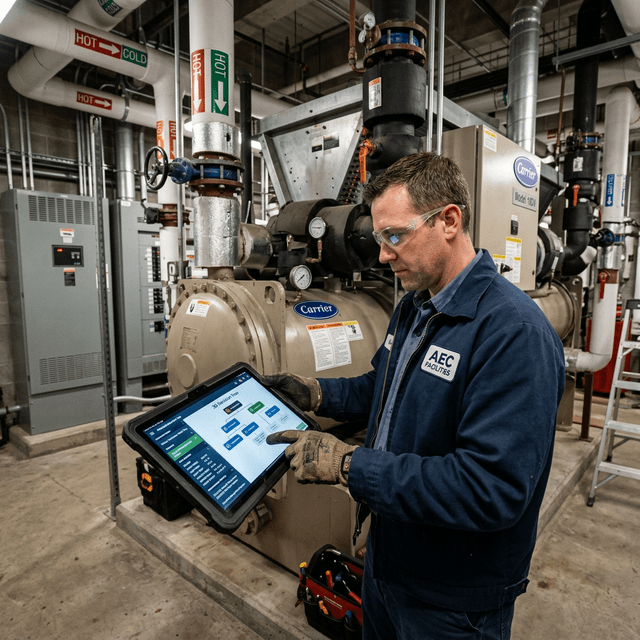
Guide technicians through chiller, AHU, and ductwork troubleshooting with AR-based decision trees that access live sensor data and maintenance history in context.
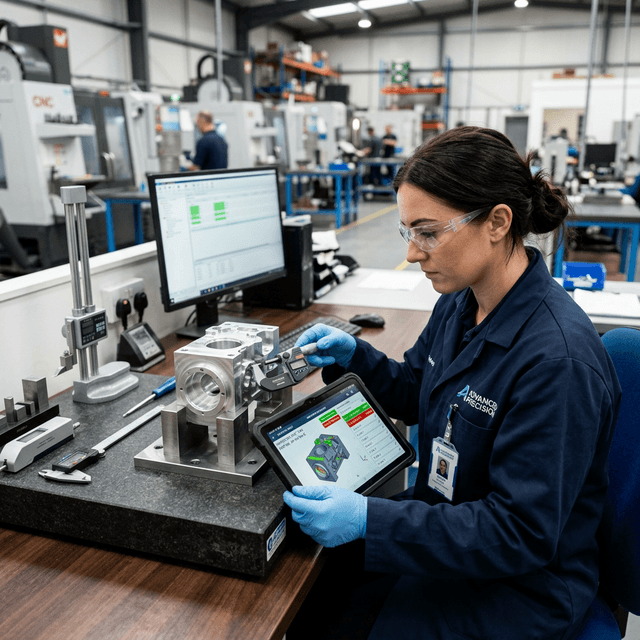
Overlay digital specifications, tolerances, and inspection criteria on manufactured products for visual inspection guidance.

Let field teams share the same asset context with experts in another location, then preserve the decision path as reusable knowledge.
Traditional inspection depends on paper checklists, personal experience, screenshots from control systems, and follow-up data entry. The technician standing next to the equipment often cannot see the full context: current status, alarm history, maintenance records, asset relationships, approved procedure, and expert guidance.
AR-guided inspection and troubleshooting brings that context to the point of work. The value is reducing the gap between digital information and the physical asset so inspection, troubleshooting, record keeping, and review stay connected.
Inspection points can be bound to equipment, spaces, and systems in FactVerse. Field teams use mobile or AR/MR devices to review routes, check points, asset status, and approved steps. As work is completed, photos, measurements, conclusions, and exceptions are submitted directly into Inspector.
For complex equipment, Director can provide 3D guided procedures. For repeatable inspection rounds, Checklist standardizes required fields and compliance records. Data Fusion Services brings live data and historical records into the same context.
Many field problems are not caused by missing data. They are caused by missing judgment. AR-guided inspection can turn expert-defined checks, equipment structure, maintenance history, and troubleshooting paths into repeatable execution patterns across shifts and sites.
Inspector brings inspections, alarms, work orders, and evidence into the asset context provided by FactVerse. Checklist defines the required checks, Director supplies guided 3D procedures, and Data Fusion Services connects live signals and maintenance history. Technicians can move through the task without rebuilding the context from separate screens, paper, and personal notes.
Foxconn applied FactVerse across training and maintenance workflows. Work with JTC connected BIM, digital twins, and mixed reality in complex facilities. Swire Coca-Cola used DataMesh to digitize maintenance processes and frontline knowledge. Together, these examples show how contextual guidance and evidence capture can move closer to the point of work.
Start with high-value equipment, frequent inspection routes, complex troubleshooting, or tasks where technician experience varies. Map the asset context, required checks, approved steps, exception handling, and completion evidence for that workflow. The same pattern can then expand across routes, equipment classes, shifts, and sites while preserving local safety and sign-off requirements.
Mobile devices and tablets cover many inspection and record-keeping workflows. AR/MR devices are most useful when hands-free guidance, spatial anchoring, or first-person remote collaboration is required.
Inspection routes, checklists, guided procedures, and troubleshooting steps are typically maintained by equipment experts, operations leads, or safety and quality teams using Inspector, Checklist, and Director.
Yes. Steps, photos, notes, measurements, exceptions, corrective actions, and verification results can be tied to assets and work orders. Specific compliance templates should be configured around the customer's process.
Data Fusion Services connects BMS, SCADA, IoT, CMMS, and database sources and binds values, alarms, trends, and maintenance history to the asset.
Continue with the most relevant products, solutions, guides, and public references for this topic.