
Digital Twin View
First-person roaming, layered facility layouts, 2D floor-plan navigation, camera context, and asset click-to-inspect help teams move from a visual scene to the exact equipment and record they need.
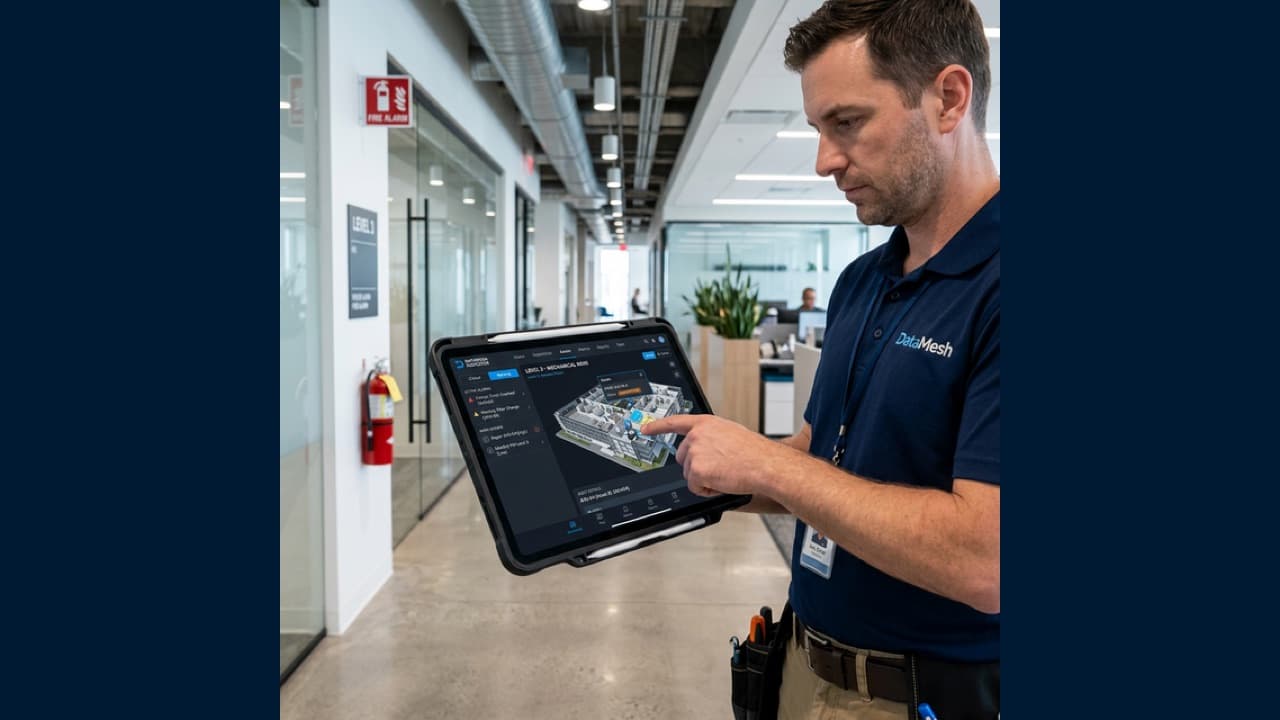
Turn Facility Operations Into a Visual, Closed-Loop Workflow
DataMesh Inspector is the operations execution layer for facilities and industrial sites. It connects 3D asset context, alarms, work orders, SOPs, offline field execution, and verification records so teams can move from issue detection to accountable closure.
Connect data, workflows, and field execution so teams can understand context, act faster, and keep work traceable.
Navigate sites by building, floor, zone, system, and asset. Use 3D roaming, 2D floor-plan jumps, QR or location anchors, camera context, and asset focus to find the right equipment faster.
Maintain configurable asset lists, equipment files, documents, annotations, status indicators, maintenance plans, inspection plans, work-order history, and trend views across the asset lifecycle.
Map buildings, floors, zones, equipment, points, and system relationships to Brick Schema-aligned asset semantics. This gives Green Mark evidence preparation a clearer structure for showing what assets exist, how they connect, and which data points support each operating record.
Bring BMS, IoT, and equipment alarms into one operations view. Teams can filter by severity and zone, inspect structured source payloads, merge repeated events, view 3D alarm locations, and link one alarm to multiple work orders.
Create work orders manually or from alarms, fault reports, inspections, and preventive maintenance plans. Dispatch, execute, review, reject for rework, accept, and close work with photos, videos, notes, and timestamps.
Preload work orders, SOP steps, documents, playbook resources, 3D scenes, QR or NFC check points, and asset context before a site visit. Field evidence is queued locally and synced when connectivity returns.
Turn repeated maintenance, inspection, and corrective actions into reusable SOP templates. Completed work can feed a growing knowledge base for future assignments, acceptance checks, and AI-assisted suggestions.
Search manuals and history with natural language, get AI-assisted fault diagnosis and recommended actions, and auto-fill work orders to reduce documentation burden and speed up response.
Support Green Mark readiness by organizing energy and environmental data, inspection records, maintenance actions, and work-order evidence. Inspector keeps the operational trail connected to assets and spaces so teams can prepare review materials for consultants, engineers, owners, and service teams.
Practical applications and proven success scenarios across industries.
First-person roaming, layered facility layouts, 2D floor-plan navigation, camera context, and asset click-to-inspect help teams move from a visual scene to the exact equipment and record they need.
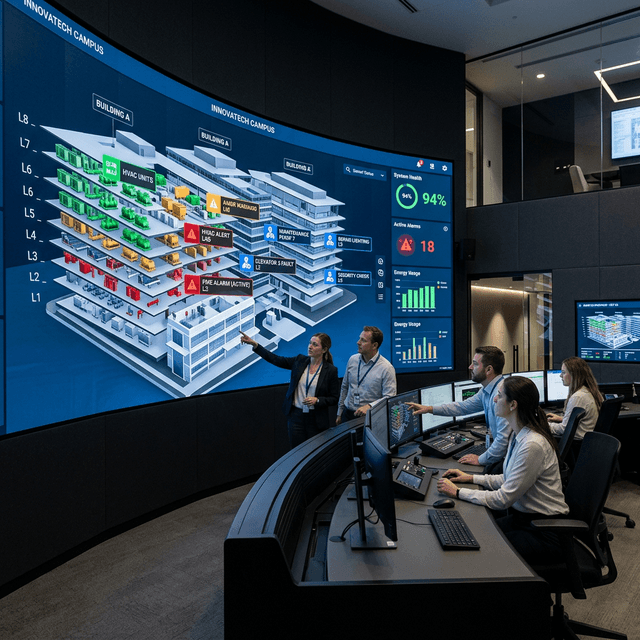
Dashboards summarize asset distribution and health; alarm management supports deduplication, source trace, and 3D markers; work-order views make dispatch, execution, review, acceptance, and closure transparent.
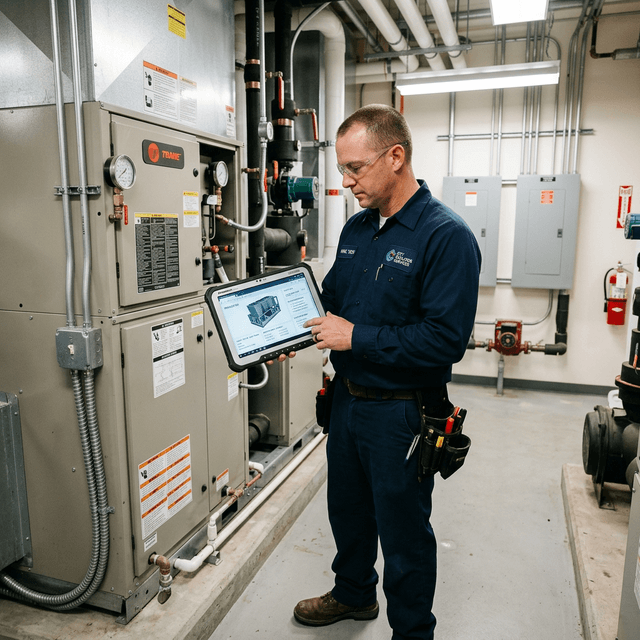
Technicians follow assigned tasks, required steps, scan checkpoints, reference documents, guided playbooks, and local evidence capture even when network conditions are unstable.
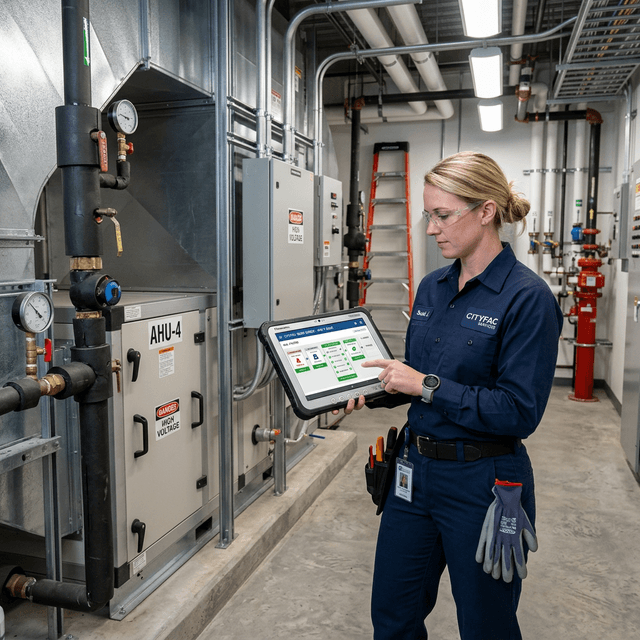
Supervisors can turn field-proven procedures into templates, review exception notes and media evidence, and preserve a traceable record for audits, handovers, and continuous improvement.
Inspector 8.0 connects digital twin context, asset records, live building data, alarms, work orders, SOP templates, field evidence, and AI assistance. It is built for facilities and industrial sites that need to see issues, assign the right work, guide field teams, preserve proof, and close the loop in one operational flow.
Immersive 3D views support first-person roaming, layered facility layouts, 2D floor-plan navigation, QR or location anchors, camera context, asset focus, and click-to-inspect asset records. Teams can move from a building or system view to the exact equipment, alarm, document, or work record they need.
Dashboards summarize asset distribution, health, and work status. Alarm management prioritizes by severity and zone, preserves structured external source data, supports repeated-event merging, and shows alarm markers in the 3D scene. Work-order views make dispatch, execution, review, acceptance, rejection, and closure transparent.
Technicians can follow assigned tasks, required steps, scan checkpoints, reference documents, guided playbooks, and local evidence capture. Work orders can store notes, photos, videos, exception reasons, timestamps, and acceptance records so the site has a clear execution trail.
Inspector keeps the operational chain connected. A BMS, IoT, or equipment alarm can retain its external ID and structured payload, appear on the affected asset, be confirmed by the operations team, and then create or associate work orders. A single alarm can have multiple linked work orders when several teams or actions are needed.
The work order flow covers creation, AI-assisted field completion, template selection, assignment, dispatch, execution, review, acceptance, rejection for rework, and closure. Closure notes, media evidence, timestamps, and audit history help supervisors understand what happened and why.
Inspector supports site work in areas where network quality is uneven. Teams can preload work orders, required steps, reference documents, BIM or 3D scene resources, playbook assets, QR or NFC checkpoints, location data, and related asset context. Field evidence is stored in a local queue and synced back after reconnection.
This makes the workflow usable in basements, utility rooms, industrial plants, warehouses, and large campus environments where the most important work often happens away from stable office Wi-Fi.
Repeated maintenance, inspection, and corrective actions can be organized into SOP templates. Required fields, required steps, exception forms, scan checks, media evidence, and acceptance criteria help teams standardize execution. Completed work enriches the template library and gives AI assistance better context for future recommendations.
Inspector helps facility teams collect and trace the operating records that matter for Green Mark preparation: energy and environmental data, inspection history, maintenance actions, work-order closure, and corrective evidence. Brick Schema support adds an open asset ontology layer so buildings, floors, zones, equipment, meters, sensors, commands, and system relationships can be described consistently. That makes it easier to show which assets and data points support each evidence item.
For deeper energy analysis, these records can be connected with BIM/IFC and EnergyPlus-based modeling in the broader FactVerse workflow. Inspector supports preparation and review by organizing the operational records that consultants, engineers, owners, and service teams need.
Inspector owns the asset, inspection, maintenance, work-order, and evidence loop. It is the product that turns facility context into assignable work, field records, verification, and review material. It also provides the Brick Schema-aligned asset relationship layer used by facility teams to trace buildings, systems, sensors, meters, equipment, and work records.
Data Fusion Services connects enterprise and facility systems, FactVerse provides the twin context, AI Agent supports review and recommendations, Designer supports simulation workflows, and Inspector preserves the execution record for inspection, maintenance, evidence tracking, and field closure.
A focused Inspector pilot takes one asset group, inspection route, or maintenance workflow from intake through assignment, field execution, evidence capture, and verified closure. Teams can measure asset-context completeness, overdue-work visibility, response handoffs, record retrieval, and closure quality against the current process.
Start by assessing your maintenance needs and defining objectives (reducing downtime, enhancing inspection accuracy). Evaluate existing systems (BIM models, facility BMS) for integration points. Collaborate with DataMesh or an authorized partner to configure the platform. Conduct a pilot phase, train your team, then roll out organization-wide.
Through DataMesh FactVerse Data Fusion Services, organizations can connect CMMS, EAM, BMS, IoT, and other operational systems through APIs, webhooks, and standard interfaces, consolidating operational data, equipment status, and work orders into a unified view.
Inspector can receive an alarm from BMS, IoT, or equipment systems, preserve the source payload and external ID, show the affected asset in the digital twin, then create or associate one or more work orders. The alarm stays traceable through confirmation, assignment, handling, review, and closure.
Teams can preload work orders, required steps, documents, 3D scenes, playbook resources, QR or NFC checkpoints, and asset context. Notes, photos, videos, and timestamps are stored locally and synced back after the device reconnects.
Yes. Repeated inspection, maintenance, and corrective actions can be standardized into templates with required fields, steps, evidence rules, and acceptance checks. This helps teams scale consistent execution across sites.
Inspector currently supports iPad and iPhone for AR-enabled workflows. DataMesh is transitioning to a more customizable client design based on customer requests, allowing for future integration with next-generation AR glasses.
Green Mark is assessed by Singapore's Building and Construction Authority (BCA) using a scoring system and verification process. DataMesh Inspector helps teams prepare by organizing operating data, maintenance evidence, and corrective-action records. Deeper energy analysis can connect this evidence with BIM/IFC and EnergyPlus-based modeling through the broader FactVerse workflow.
Brick Schema gives building assets, systems, zones, and points a consistent semantic structure. In Inspector, that structure helps teams trace which equipment, sensors, meters, and work records support a Green Mark evidence pack, while keeping the data model open and easier to review.
Continue with the most relevant products, solutions, guides, and public references for this topic.