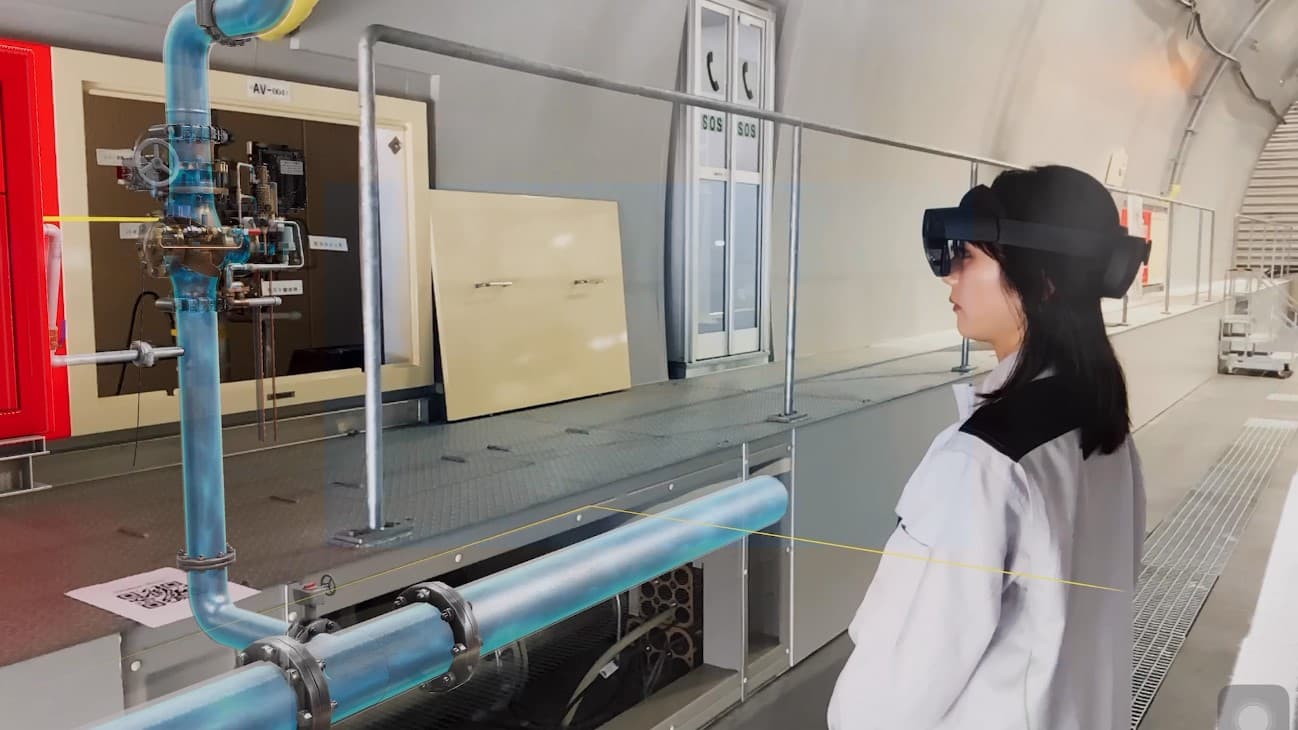
Frontline work needs operational context
Frontline work often depends on a precise sequence, a specific asset, a physical location, a trained role, and a record that can be reviewed later. A technician may need to isolate equipment, follow a lockout step, inspect a panel, take a reading, capture a photo, report an exception, and close a work order. A production operator may need to follow setup, cleaning, line-clearance, sampling, or handoff steps where each action depends on the room, equipment, material, and approved procedure version.
Traditional SOPs and training material are valuable, but they often live away from the work object. The procedure sits in a document system, the asset record sits in CMMS or EAM, the signal sits in BMS or SCADA, the photo sits in a mobile app, and the final decision sits in a supervisor review. That separation makes execution harder to compare across shifts, sites, and teams.
An operational digital twin gives the procedure a place to live. It connects the SOP, asset, location, role, visual guidance, field record, inspection result, work order, and review note around the same operating context.
What a digital SOP should connect
| Layer | Operating detail |
|---|---|
| Procedure control | SOP version, owner, effective date, approval route, training audience, and release status |
| Asset and location | equipment ID, room, zone, line, route, utility connection, and safety boundary |
| Guided steps | task sequence, prompts, checkpoints, visual reference, media, and exception handling |
| Role and training | role requirement, training completion, assessment result, refresher cycle, and cohort history |
| Field execution | operator, start time, step status, readings, photos, notes, issues, and work-order link |
| Review record | supervisor review, acceptance criteria, correction, closeout status, and audit trail |
| Data context | live values, alarms, maintenance history, documents, and enterprise records where relevant |
The useful target is traceability. A team should be able to see which procedure was used, which asset or area it applied to, who performed the work, what evidence was captured, and how the result was reviewed.
Author the procedure in spatial context
Director is the authoring surface for guided 3D procedures. It can turn approved work knowledge into step-by-step content with labels, animations, panels, images, videos, checkpoints, and visual prompts. The authoring goal is to make the correct asset, location, action, and record visible at the point of work.
Good digital SOP content usually starts from existing sources: approved SOPs, work instructions, manuals, photos, videos, CAD or BIM models, equipment models, asset lists, safety notes, training decks, and field feedback. The content team then decides which steps need 3D context, which steps need a checklist record, which steps need a photo, and which exceptions should open a task.
FactVerse keeps the procedure connected to the asset and location model. Data Fusion Services can bring in documents, work history, live values, and enterprise records when the workflow needs those references.
Capture field evidence
Digital guidance becomes operationally useful when it reaches field execution. Checklist structures recurring checks, required readings, signoffs, and completion records. Inspector connects inspections, issues, photos, repair notes, work orders, acceptance steps, and review status to the asset and location context.
This creates a practical execution path:
- Prepare - Link the SOP, asset, location, role, checklist, and required evidence.
- Guide - Deliver the steps through Director-authored content and field instructions.
- Record - Capture readings, photos, notes, exceptions, and completion status.
- Escalate - Convert a confirmed issue into an inspection task, repair task, or work order.
- Review - Let supervisors or quality teams review the evidence, correction, and closeout.
- Improve - Use repeated exceptions and review results to improve training, procedure content, and asset records.
The result is a workflow that connects training, execution, evidence, and improvement without losing the asset context.
Train before field execution
Training should use the same spatial context that the worker will see during execution. A new operator can learn the equipment identity, room layout, task sequence, visual checks, risk points, and evidence fields before performing the work on site.
Simulator is relevant when training depends on equipment behavior, controls, safety scenarios, route discipline, scoring, and repeated practice. Heavy equipment, forklifts, construction machinery, and equipment-specific programs can use simulator scenarios to practice operation, emergency response, and assessment routines.
For process operations and facility work, Director and Checklist can support guided procedure training, while Inspector carries the same asset and task context into field execution. This keeps the training record, work instruction, and field evidence aligned.
Industry patterns
Manufacturing teams can use digital SOPs for changeover, inspection, maintenance support, line-side troubleshooting, warehouse handoff, and production-support utilities. Field evidence helps engineers compare repeated issues across assets, shifts, and production areas.
Pharmaceutical and biopharma teams can use guided procedures for setup, cleaning, sampling, weighing, line clearance, equipment preparation, and operator handoff. Training completion, SOP version, task evidence, exception notes, and review records support GMP and CSV evidence preparation.
Construction and heavy equipment teams can combine Director-guided procedures, Simulator equipment practice, and Inspector field records for site work, equipment operation, safety routines, and issue closeout. Tower cranes, forklifts, rotary drilling rigs, deep well casing drilling rigs, excavators, and project-specific equipment can be represented in training programs.
Data centers and smart facilities can connect maintenance procedures, inspection routes, BMS alarms, asset records, energy readings, photos, and work-order status. The same record structure supports maintenance planning, energy review, and operational handoff.
Warehouse and intralogistics teams can train routes, loading steps, safety checks, forklift routines, exception handling, and maintenance tasks with the same asset and location context used for planning and inspection.
Data and AI feedback
Field evidence gives AI-assisted workflows better ground truth. Confirmed issues, rejected suggestions, repeated exceptions, completion notes, readings, photos, and post-action results help teams understand where procedures are unclear, where training needs refresh, and where assets show recurring patterns.
FactVerse AI Agent can review connected signals, work history, documents, inspection records, and field feedback around the clock. In this workflow, AI Agent is most useful when it helps qualified teams summarize evidence, find repeated issues, recommend next checks, and prepare work for review.
The learning loop becomes stronger when training records, field execution, work orders, and review outcomes refer to the same asset and procedure context.
Product roles
Director creates guided 3D SOPs, step prompts, visual labels, animations, media panels, training content, and field instructions.
Checklist structures recurring checks, required readings, role signoffs, completion status, and mobile records.
Inspector manages inspections, issues, work orders, evidence capture, repair notes, acceptance records, and field history.
Simulator supports equipment operator training when the task depends on controls, behavior, safety scenarios, scoring, and repeated practice.
FactVerse provides the operational digital twin context for assets, spaces, systems, procedures, work objects, documents, and permissions.
Data Fusion Services connects CMMS, EAM, BMS, SCADA, IoT, documents, work records, and enterprise systems to the right twin objects.
FactVerse AI Agent supports review, triage, recommendation preparation, and feedback analysis after the workflow has stable records.
Implementation checklist
- Are SOP versions, owners, release dates, and training audiences recorded?
- Are asset IDs, room names, equipment labels, and work-order objects consistent?
- Are the steps that need 3D guidance, checklist records, photos, or readings identified?
- Are exception paths, issue categories, escalation rules, and closeout fields defined?
- Are training completion, assessment results, and refresher cycles linked to the procedure version?
- Are Inspector and Checklist records tied to the same asset and location model?
- Are photos, readings, notes, reviewer decisions, and corrective actions available for later review?
- Are AI Agent use cases grounded in stable procedure, asset, work-order, and field evidence data?
Public references
The Swire Coca-Cola reference shows maintenance process and frontline training digitization.
The Foxconn reference shows FactVerse used for training and maintenance workflows.
The expressway safety training reference shows digital twin-based practical training for field skills.
The Pharma Operator Training guide, Heavy Equipment Simulator Training guide, and CMMS, EAM, and BMS Integration guide cover adjacent workflows for regulated operations, equipment training, and enterprise system integration.