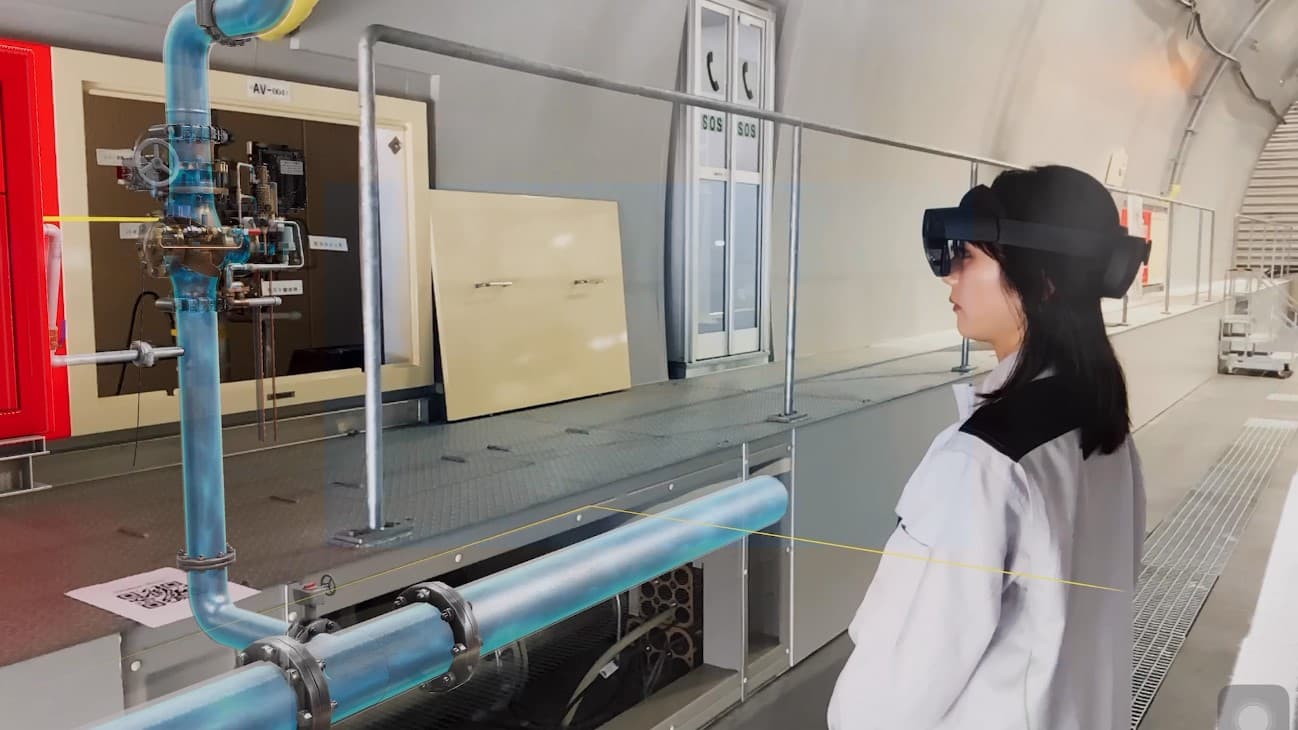
Frontline work needs operational context
Frontline work มักขึ้นกับ sequence ที่แม่นยำ, asset เฉพาะ, physical location, role ที่ผ่าน training และ record ที่ review ได้ภายหลัง. Technician อาจต้อง isolate equipment, inspect panel, take reading, capture photo, report exception และ close work order. Production operator อาจต้องทำ setup, cleaning, line clearance, sampling หรือ handoff ที่เชื่อมกับ room, equipment, material และ approved procedure version.
SOP และ training material มีคุณค่า แต่หลายครั้งอยู่ไกลจาก work object. Procedure อยู่ใน document system, asset อยู่ใน CMMS หรือ EAM, signal อยู่ใน BMS หรือ SCADA, photo อยู่ใน mobile app และ final decision อยู่ใน supervisor review.
Operational digital twin ให้ procedure มี operating context. มันเชื่อม SOP, asset, location, role, visual guidance, field record, inspection, work order และ review note รอบ context เดียวกัน.
What a digital SOP should connect
| Layer | Operating detail |
|---|---|
| Procedure control | SOP version, owner, effective date, approval route, training audience, release status |
| Asset and location | equipment ID, room, zone, line, route, utility connection, safety boundary |
| Guided steps | task sequence, prompts, checkpoints, visual reference, media, exception handling |
| Role and training | role requirement, training completion, assessment result, refresher cycle, cohort history |
| Field execution | operator, start time, step status, readings, photos, notes, issues, work-order link |
| Review record | supervisor review, acceptance criteria, correction, closeout status, audit trail |
| Data context | live values, alarms, maintenance history, documents, enterprise records |
เป้าหมายคือ traceability. ทีมควรเห็นว่า procedure ไหนถูกใช้, ใช้กับ asset หรือ area ไหน, ใครทำงาน, evidence อะไรถูก capture และ result ถูก review อย่างไร.
Author the procedure in spatial context
Director เป็น authoring surface สำหรับ guided 3D procedures. ทีมสามารถเปลี่ยน approved work knowledge เป็น steps ที่มี labels, animations, panels, images, videos, checkpoints และ visual prompts.
Content ที่ดีเริ่มจาก sources ที่มีอยู่ เช่น SOPs, work instructions, manuals, photos, videos, CAD หรือ BIM models, equipment models, asset lists, safety notes, training decks และ field feedback. จากนั้นทีมกำหนดว่า step ไหนต้องใช้ 3D context, checklist record, photo หรือ escalation.
FactVerse ทำให้ procedure เชื่อมกับ asset และ location model. Data Fusion Services สามารถเพิ่ม documents, work history, live values และ enterprise records เมื่อ workflow ต้องการ.
Capture field evidence
Checklist จัดโครงสร้าง recurring checks, required readings, signoffs และ completion records. Inspector เชื่อม inspections, issues, photos, repair notes, work orders, acceptance steps และ review status กับ asset-location context.
Execution path:
- Prepare - เชื่อม SOP, asset, location, role, checklist และ required evidence.
- Guide - ส่ง steps ผ่าน Director-authored content และ field instructions.
- Record - Capture readings, photos, notes, exceptions และ completion status.
- Escalate - Convert confirmed issue เป็น inspection task, repair task หรือ work order.
- Review - ให้ supervisor หรือ quality team review evidence, correction และ closeout.
- Improve - ใช้ repeated exceptions เพื่อปรับ training, procedure content และ asset records.
Train before field execution
Training ควรใช้ spatial context เดียวกับ execution. New operator จะเรียนรู้ equipment identity, room layout, task sequence, visual checks, risk points และ evidence fields ก่อนทำงานจริง.
Simulator เหมาะเมื่อ training ขึ้นกับ equipment behavior, controls, safety scenarios, route discipline, scoring และ repeated practice. Heavy equipment, forklifts, construction machinery และ equipment-specific programs ใช้ scenario เพื่อฝึก operation, emergency response และ assessment routines.
สำหรับ process operations และ facility work, Director และ Checklist รองรับ guided procedure training ส่วน Inspector นำ asset และ task context เดียวกันไปสู่ field execution.
Industry patterns
Manufacturing ใช้ digital SOPs สำหรับ changeover, inspection, maintenance support, line-side troubleshooting, warehouse handoff และ production-support utilities.
Pharmaceutical and biopharma ใช้ guided procedures สำหรับ setup, cleaning, sampling, weighing, line clearance, equipment preparation และ operator handoff. Training completion, SOP version, task evidence, exception notes และ review records ช่วยเตรียม GMP และ CSV evidence.
Construction and heavy equipment รวม Director-guided procedures, Simulator equipment practice และ Inspector field records สำหรับ site work, equipment operation, safety routines และ issue closeout. Tower cranes, forklifts, rotary drilling rigs, deep well casing drilling rigs, excavators และ project-specific equipment สามารถอยู่ใน training programs.
Data centers and smart facilities เชื่อม maintenance procedures, inspection routes, BMS alarms, asset records, energy readings, photos และ work-order status.
Warehouse and intralogistics train routes, loading steps, safety checks, forklift routines, exception handling และ maintenance tasks ด้วย asset-location context เดียวกับ planning และ inspection.
Data and AI feedback
Field evidence ให้ ground truth ที่ดีขึ้นกับ AI-assisted workflows. Confirmed issues, adjusted recommendations, repeated exceptions, completion notes, readings, photos และ post-action results ช่วยให้ทีมเห็นว่า procedure จุดไหนไม่ชัด, training ต้อง refresh ตรงไหน และ asset ไหนมี recurring patterns.
FactVerse AI Agent สามารถ review connected signals, work history, documents, inspection records และ field feedback แบบ 24x7. ใน workflow นี้ AI Agent ช่วย summarize evidence, find repeated issues, recommend next checks และ prepare work for review.
Product roles
Director creates guided 3D SOPs, step prompts, visual labels, animations, media panels, training content และ field instructions.
Checklist structures recurring checks, required readings, role signoffs, completion status และ mobile records.
Inspector manages inspections, issues, work orders, evidence capture, repair notes, acceptance records และ field history.
Simulator supports equipment operator training เมื่อ task ขึ้นกับ controls, behavior, safety scenarios, scoring และ repeated practice.
FactVerse provides operational digital twin context สำหรับ assets, spaces, systems, procedures, work objects, documents และ permissions.
Data Fusion Services connects CMMS, EAM, BMS, SCADA, IoT, documents, work records และ enterprise systems ไปยัง twin objects ที่ถูกต้อง.
FactVerse AI Agent supports review, triage, recommendation preparation และ feedback analysis หลัง workflow records stable.
Implementation checklist
- SOP versions, owners, release dates และ training audiences ถูก record แล้วหรือไม่?
- Asset IDs, room names, equipment labels และ work-order objects consistent หรือไม่?
- Steps ที่ต้องใช้ 3D guidance, checklist records, photos หรือ readings ถูก identify แล้วหรือไม่?
- Exception paths, issue categories, escalation rules และ closeout fields ถูก define แล้วหรือไม่?
- Training completion, assessment results และ refresher cycles linked กับ procedure version ที่ถูกต้องหรือไม่?
- Inspector และ Checklist records tied กับ asset-location model เดียวกันหรือไม่?
- Photos, readings, notes, reviewer decisions และ corrective actions available สำหรับ review ภายหลังหรือไม่?
- AI Agent use cases grounded บน stable procedure, asset, work-order และ field evidence data หรือไม่?
Public references
Swire Coca-Cola reference แสดง maintenance process และ frontline training digitization.
Foxconn reference แสดง FactVerse ใน training และ maintenance workflows.
Expressway safety training reference แสดง practical field-skill training ที่ใช้ digital twins.
Pharma Operator Training guide, Heavy Equipment Simulator Training guide และ CMMS, EAM, and BMS Integration guide ครอบคลุม adjacent workflows.