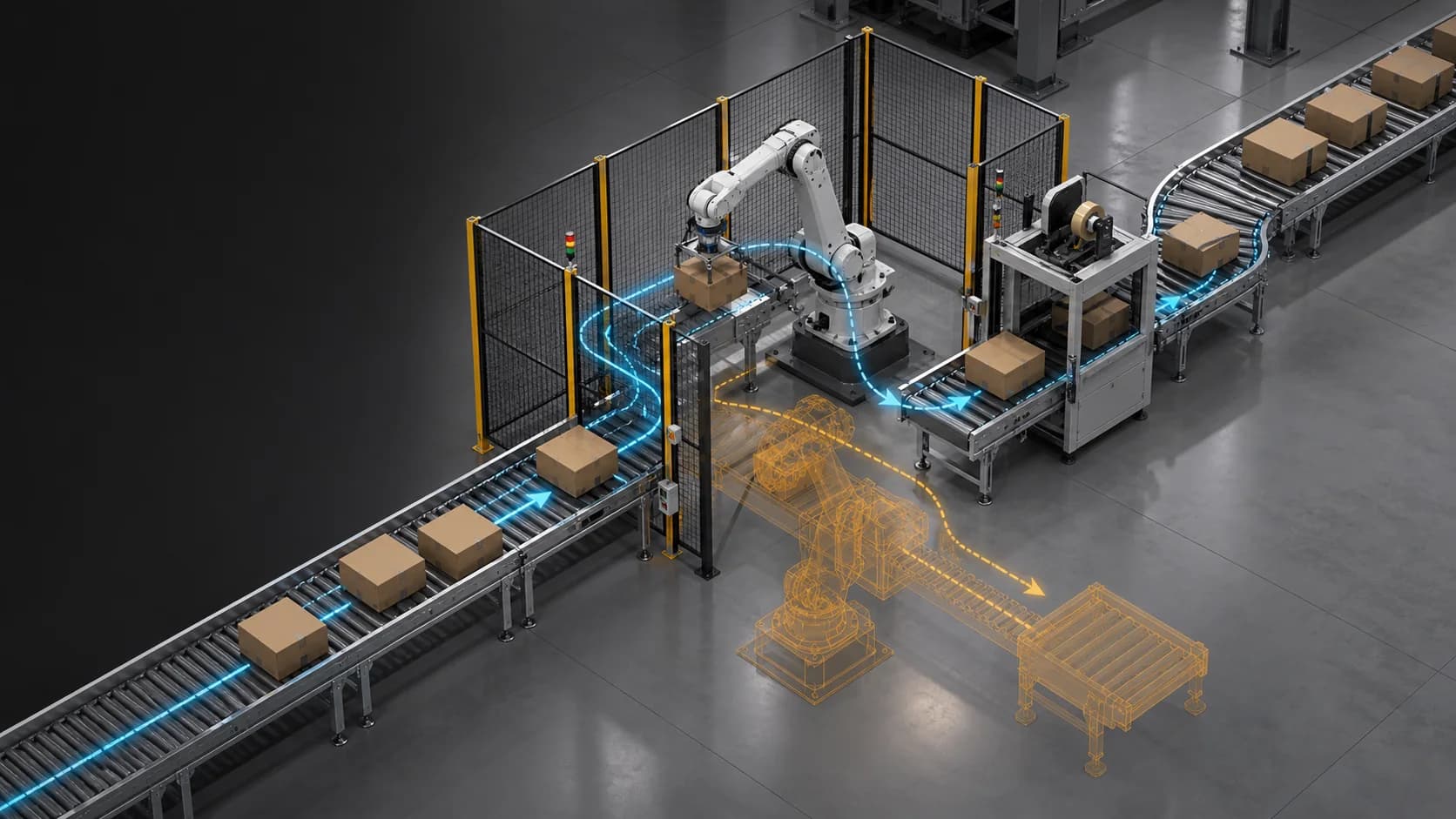
A faster middle layer for process validation
Production-line and packaging projects often move between two extremes. Static layouts and discrete-event models help teams discuss flow, capacity, and bottlenecks, while finite element analysis, computational fluid dynamics, and physical trials handle high-precision engineering questions. The gap between those layers is where many practical issues appear: package orientation, collision, sliding, stacking, handoff timing, robot access, operator reach, and equipment interaction.
Modern workflows built around Omniverse, NVIDIA Isaac Sim, PhysX, and Newton create a faster middle layer. They allow engineering and operations teams to test more physical scenarios inside a digital twin before selecting the few cases that deserve deeper analysis or physical trials. The accuracy target is different from a calibrated finite element model. The value comes from speed, scenario coverage, shared review, and early issue discovery.
For DataMesh, this is a natural extension of FactVerse Designer. Designer builds the production scene, process logic, behavior trees, layout variants, and timeline scenarios. The FactVerse Adaptor for NVIDIA Omniverse carries that context into OpenUSD and Omniverse workflows. From there, teams can prepare Isaac Sim scenes that use PhysX-based simulation, RTX rendering, robot and sensor models, and Isaac Lab or Newton paths when a process scenario moves toward robotics or Physical AI.
Where traditional simulation slows down
Different simulation methods answer different questions:
| Method | Useful for | Typical constraint |
|---|---|---|
| Static layout review | Space, equipment placement, access, stakeholder alignment | Limited motion and interaction evidence |
| Discrete-event simulation | Throughput, queueing, utilization, buffers, resource planning | Simplified geometry and physical behavior |
| Finite element analysis | Stress, deformation, material response, structural risk | Slower model preparation and compute cycles |
| Computational fluid dynamics | Airflow, fluid, thermal, pressure, and contamination analysis | Specialized models and longer iteration cycles |
| Physical trials | Final process confidence and real operator feedback | Cost, schedule, safety, and limited scenario coverage |
Physics-based process simulation adds another option. It helps teams ask: if a package slides through this path, if a tray tilts, if a robot handoff is late, if a conveyor buffer fills, if a carton collides with a guide rail, what will the operating team see?
What Isaac Sim, PhysX, and Newton add
NVIDIA describes Isaac Sim as an open source reference framework built on Omniverse libraries for robotics simulation, testing, and synthetic data generation in physically based virtual environments. It can ingest CAD, URDF, MJCF, and captured scene context, convert that material into USD, and assemble scenes with materials, physics, robot models, and sensors.
PhysX sits inside that Isaac and Omniverse path as the physics foundation. NVIDIA's Isaac Sim documentation describes the core simulation as a high-fidelity GPU-based PhysX engine with multi-sensor RTX rendering at industrial scale. For production teams, this supports review of motion, collision, rigid-body behavior, placement, material flow, spacing, robot reach, and safety zones.
Isaac Lab and Newton extend the workflow toward robot learning and contact-rich simulation. NVIDIA describes Isaac Lab as an open source, GPU-accelerated, modular framework for robot learning. NVIDIA describes Newton as an open, extensible physics engine built on Warp and OpenUSD, with direction around GPU acceleration, differentiable physics, pluggable solvers, rigid-body and deformable simulation, and Isaac integration. That matters when process simulation begins to overlap with robot policies, tactile contact, flexible materials, packaging deformation, cables, or future Physical AI workflows.
The practical message for industrial teams is simple: use the right physics depth for the decision. A packaging layout review may need fast collision and motion checks. A robot insertion task may need stronger contact modeling. A material failure question still belongs to specialized engineering analysis.
Packaging process validation
Packaging is a strong use case because small physical details can change the operating result. A useful virtual trial can explore:
- package orientation, spacing, and handoff timing
- conveyor speed, guide rails, diverters, stops, and buffer behavior
- tray, carton, bottle, pouch, or case movement through equipment
- sliding, tipping, stacking, bouncing, contact, and collision patterns
- robot reach, gripper approach, access envelope, and safety zones
- operator reach, maintenance access, jam recovery, and inspection viewpoints
- line variants before equipment is moved or tooling is changed
The goal is earlier screening. Teams can compare more options, find obvious physical issues, and prepare clearer questions for detailed validation.
The DataMesh workflow
- Build the operational scene - Model the line, packaging cell, equipment, stations, buffers, routes, access areas, and asset identities in FactVerse.
- Author the process logic - Use Designer to define behavior trees, timing, state transitions, material routes, faults, recovery steps, and variants.
- Prepare simulation assets - Align scale, coordinates, collision geometry, material assumptions, mass, friction, constraints, and version records.
- Move into the physics workflow - Use the FactVerse Adaptor for NVIDIA Omniverse to bring scene context into OpenUSD and Omniverse workflows. When robotics is in scope, prepare Isaac Sim scenes with physics, materials, robot models, and sensors.
- Run fast virtual trials - Review motion, collision, contact, placement, handoffs, buffer behavior, operator access, and robot interaction through the right Omniverse, Isaac Sim, PhysX, or Newton path.
- Compare scenarios - Record which layout, timing, material, or equipment variant performed better under the stated assumptions.
- Escalate selected cases - Send critical cases to finite element analysis, computational fluid dynamics, vendor engineering, or physical trials.
- Keep the evidence - Preserve assumptions, settings, results, screenshots, issue records, and approval notes with the scenario version.
This keeps virtual planning connected to engineering governance. The simulation result is useful because the assumptions and versions are traceable.
What this layer is good for
Physics-based process simulation is strongest when teams need rapid comparison:
- early packaging workflow screening
- conveyor, material handling, and buffer behavior review
- layout and clearance validation
- collision and jam-risk discovery
- robot and operator access review
- equipment interaction and handoff timing
- virtual commissioning preparation
- Physical AI scenario preparation
- cross-team review with engineering, operations, safety, and vendors
The output should guide engineering judgment. It helps teams narrow the option space and focus high-cost validation on the scenarios that matter.
Where high-precision methods remain necessary
Finite element analysis, computational fluid dynamics, calibrated material testing, and physical trials remain the right tools for final answers on stress, fatigue, fracture, sealing, thermal behavior, airflow, liquid motion, contamination risk, and product-quality thresholds.
Physics engines also need calibration. Friction, stiffness, damping, restitution, mass, geometry simplification, contact settings, and solver parameters can change the result. Flexible packaging, liquids, powders, adhesives, heat, wear, and breakage may require special models or physical experiments.
The strongest workflow treats fast physics simulation as an engineering filter. It makes the team faster at asking better questions and choosing better validation targets.
What to measure
| Area | Useful metrics |
|---|---|
| Iteration speed | scenario setup time, variant count, review cycle time, time to first issue |
| Scenario coverage | layout variants, speed settings, package types, fault states, access conditions |
| Model quality | scale error, material assumptions, collision geometry quality, calibration evidence |
| Engineering value | issues found before trial, rejected variants, narrowed validation scope |
| Transfer quality | difference between virtual trial and physical observation, repeated mismatch type |
| Governance | scenario version, physics settings, asset version, reviewer, decision record |
Metrics keep the simulation useful. A fast model with unclear assumptions creates noise; a fast model with traceable assumptions creates engineering leverage.
Product roles
FactVerse Designer is the authoring environment for layouts, behavior trees, process logic, timeline scenarios, and scenario variants.
FactVerse Adaptor for NVIDIA Omniverse connects FactVerse scene context with OpenUSD and Omniverse workflows for rendering, physics validation, Isaac Sim scene preparation, and advanced simulation.
FactVerse and FactVerse Twin Engine preserve the operational twin context behind the simulation: assets, spaces, systems, metadata, permissions, and scenario records.
Data Fusion Services connects live and historical operational data when a simulation needs production signals, equipment state, alarms, speed, throughput, or facility context.
DataMesh Robotics extends the workflow when packaging or production-line scenarios become training data, Isaac Sim robot simulation environments, Isaac Lab learning tasks, or Physical AI evaluation tasks.
Readiness checklist
- Is the engineering decision clear enough to choose the right simulation depth?
- Are line assets, equipment names, and package types stable?
- Are scale, coordinates, units, and origin points validated?
- Are collision shapes and material assumptions documented?
- Are process timing, routes, handoff rules, and state transitions defined in Designer?
- Are physics settings tied to a review objective?
- Are known limitations documented before review?
- Are selected scenarios routed to detailed engineering validation?
- Are results traceable to scene version, asset version, and physics settings?
Public references
NVIDIA describes Omniverse as libraries and microservices for industrial digital twins and Physical AI simulation applications, with OpenUSD, RTX, and physics capabilities.
The NVIDIA developer page for Omniverse libraries describes ovphysx as a USD-native multiphysics library for scalable robotics and digital twin simulation.
NVIDIA's Isaac Sim page describes it as an open source reference framework built on Omniverse libraries for robotics simulation, testing, and synthetic data generation in physically based virtual environments.
NVIDIA's Isaac Lab page describes Isaac Lab as an open source, GPU-accelerated, modular framework for robot learning designed to train robot policies at scale.
NVIDIA's Newton Physics page describes Newton as an open, extensible physics engine built on Warp and OpenUSD for robot learning and development.
NVIDIA's public Newton industrial robotics article explains contact-rich manipulation, deformable simulation, SDF collision, hydroelastic contact, and integration with Isaac workflows.
DataMesh's FactVerse and NVIDIA Omniverse announcement and GTC 2025 showcase show the public direction for simulation digital twins, OpenUSD workflows, and Physical AI preparation.