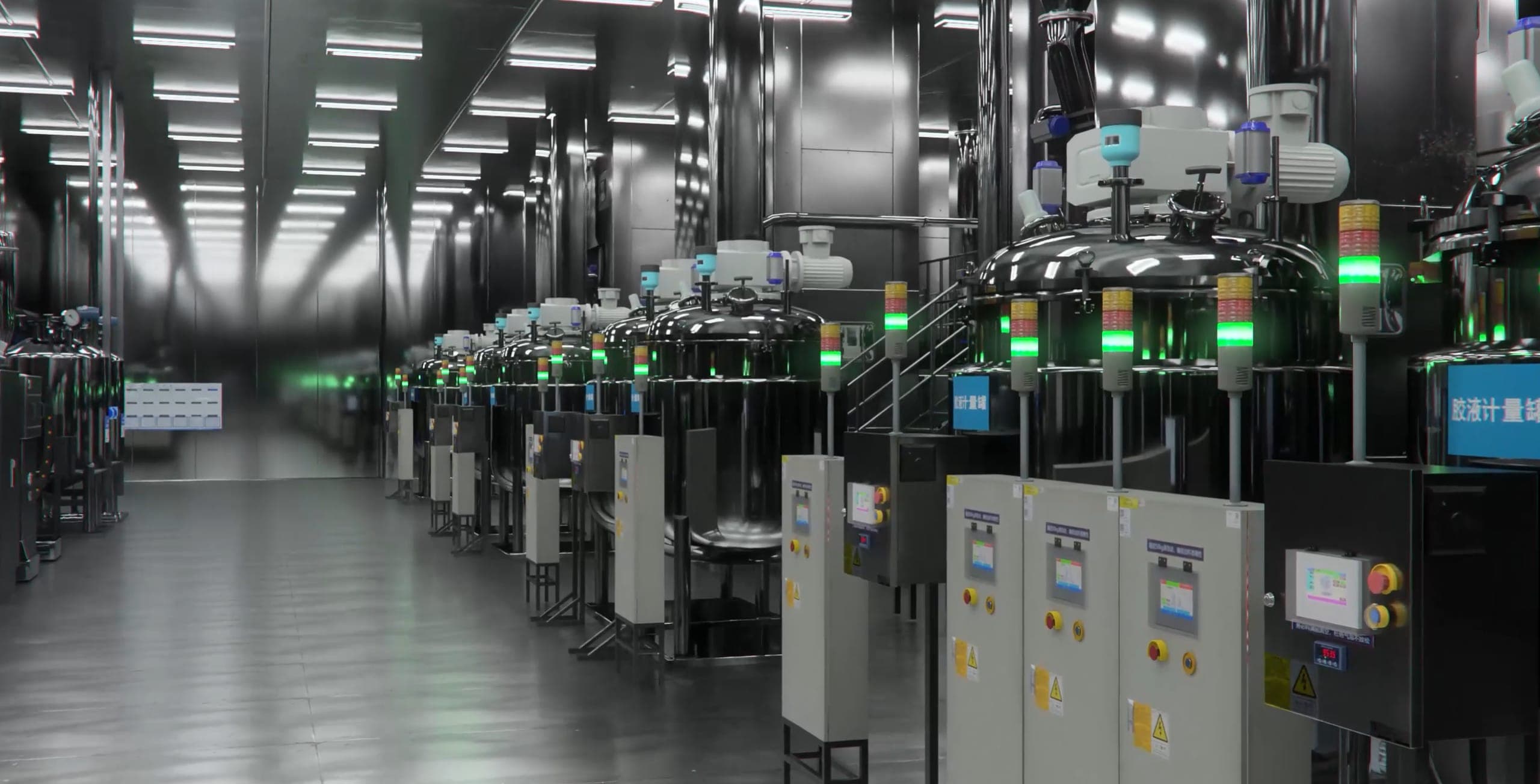
Why industrial synthetic data needs a twin
Real-world robot data is valuable, and industrial collection is often expensive, risky, slow, or hard to repeat. Facilities also contain long-tail states: blocked aisles, changing pallets, open cabinets, lighting variation, moving workers, shift-level process changes, and equipment states that appear briefly during operations.
Synthetic data helps teams cover more of that variation in a controlled way. For industrial Physical AI, the data should come from a scene that understands assets, geometry, operating rules, sensor positions, task goals, and process state. A digital twin gives the data pipeline that context.
DataMesh Robotics uses the DataMesh stack to prepare industrial scenes, generate multimodal training data, and connect outputs to robotics simulation and training workflows. The useful unit is the full pipeline: executable scene, task definition, sensor configuration, label generation, export, evaluation, and governance.
What makes industrial scenes different
Industrial robotics data has to represent more than object appearance. The scene needs operating meaning:
| Layer | What the data pipeline needs |
|---|---|
| Asset identity | Equipment names, object types, model versions, and links back to the operational twin |
| Spatial context | Zones, lanes, access areas, clearances, coordinates, and safety regions |
| Process state | Line status, station state, work step, exception state, and event timing |
| Sensor setup | Camera, depth, LiDAR, robot pose, field of view, calibration, noise model, and sampling rules |
| Physical attributes | Mass, friction, joints, constraints, material behavior, and contact assumptions |
| Labels and metadata | Segmentation, bounding boxes, instance IDs, depth, pose, trajectory, task state, and scene variables |
| Review records | Dataset version, scene version, assumptions, generation recipe, quality findings, and approval notes |
This structure helps robotics teams understand what a dataset represents and how it can be reproduced or adjusted.
The DataMesh workflow
- Model the environment - Build the factory, facility, warehouse, workcell, or inspection area in FactVerse with assets, zones, metadata, and relationships.
- Author scene behavior - Use FactVerse Designer to define layout variants, process logic, object motion, task steps, event triggers, and scenario timing.
- Prepare simulation assets - Align CAD, BIM, 3D, OpenUSD, materials, scale, coordinate systems, and SimReady preparation rules where richer simulation is needed.
- Configure sensors and tasks - Define cameras, depth sensors, robot viewpoints, target objects, task goals, success conditions, and constraints.
- Generate labeled data - Produce RGB, depth, segmentation, bounding boxes, instance IDs, poses, trajectories, process state, and scene metadata.
- Export to training stacks - Package datasets and scene assets for robotics training, evaluation, Isaac Sim / Omniverse workflows, or enterprise toolchains.
- Review and iterate - Track dataset quality, scene coverage, label consistency, task coverage, and lessons from downstream evaluation.
The workflow keeps data generation connected to the operating context. That makes the dataset easier to explain, audit, and improve.
Role of the DataMesh stack
FactVerse is the operational twin foundation. It preserves site structure, assets, relationships, data context, permissions, and scenario records.
FactVerse Twin Engine provides the runtime context for executable twins, including geometry, data binding, behavior, and interaction state.
FactVerse Designer is the authoring environment for layouts, process logic, behavior trees, task steps, and scenario variants.
DataMesh Robotics focuses on synthetic data generation, label output, task definition, reward setup, and robotics pipeline preparation.
FactVerse Adaptor for NVIDIA Omniverse connects FactVerse scenes with OpenUSD and Omniverse workflows when teams need high-fidelity rendering, sensor simulation, physics validation, or external simulation tools.
Data Fusion Services connects live and historical operational data when a scenario needs equipment state, alarms, production signals, or facility context.
Dataset specification checklist
Before generating data, define the dataset contract:
- Target robot, sensor, model family, or downstream training stack.
- Environment scope, scene version, asset list, and coordinate system.
- Task scope, target objects, process states, and success criteria.
- Sensor configuration, camera paths, viewpoints, calibration, and noise assumptions.
- Variation rules for lighting, materials, object placement, equipment state, route state, and process timing.
- Required outputs such as RGB, depth, segmentation, bounding boxes, pose, trajectory, and scene metadata.
- Quality checks for label consistency, class coverage, spatial accuracy, and scenario coverage.
- Export format, naming rules, dataset version, and review owner.
This specification becomes the bridge between simulation engineers, robotics teams, data teams, and operations owners.
Practical starting points
- Perception datasets: create labeled images and depth data for industrial objects, equipment, tools, pallets, signage, fixtures, and work zones.
- Inspection workflows: generate viewpoints and labels for visual inspection tasks around assets, panels, gauges, pipes, cabinets, and hard-to-reach areas.
- Mobile robot scenarios: prepare lanes, obstacles, route state, staging areas, docking points, and changing facility conditions for evaluation.
- Manipulation and contact tasks: describe object pose, material behavior, grasp constraints, contact state, and task sequence for simulation review.
- Factory and warehouse planning: combine layout variants, material flow, robot paths, and operational constraints before physical trials.
The first use case should have a clear task definition, a bounded environment, and a review loop with the downstream training or simulation team.
Quality and governance metrics
Industrial synthetic data should be evaluated through practical engineering checks:
- Scene coverage across target areas, object classes, and process states.
- Label consistency across generated frames and scenario versions.
- Variation coverage for lighting, placement, occlusion, object state, and sensor pose.
- Physical consistency for scale, collision, contact, route state, and timing.
- Integration quality in the downstream simulator or training stack.
- Review traceability from dataset version back to scene version, generation recipe, and assumptions.
- Lessons from downstream model evaluation or robotics simulation review.
The strongest programs treat synthetic data as an engineering artifact. Each dataset should have an owner, version, assumptions, quality checks, and a reason for generation.
Public references
The DataMesh Robotics launch introduced the public direction for synthetic training data, executable industrial twins, task objectives, reward setup, and robotics pipeline preparation.
The GTC 2025 showcase shows DataMesh simulation digital twins in the context of FactVerse and NVIDIA Omniverse workflows.
The FactVerse and NVIDIA Omniverse platform article explains how FactVerse scene context can connect with Omniverse for simulation digital twin workflows.