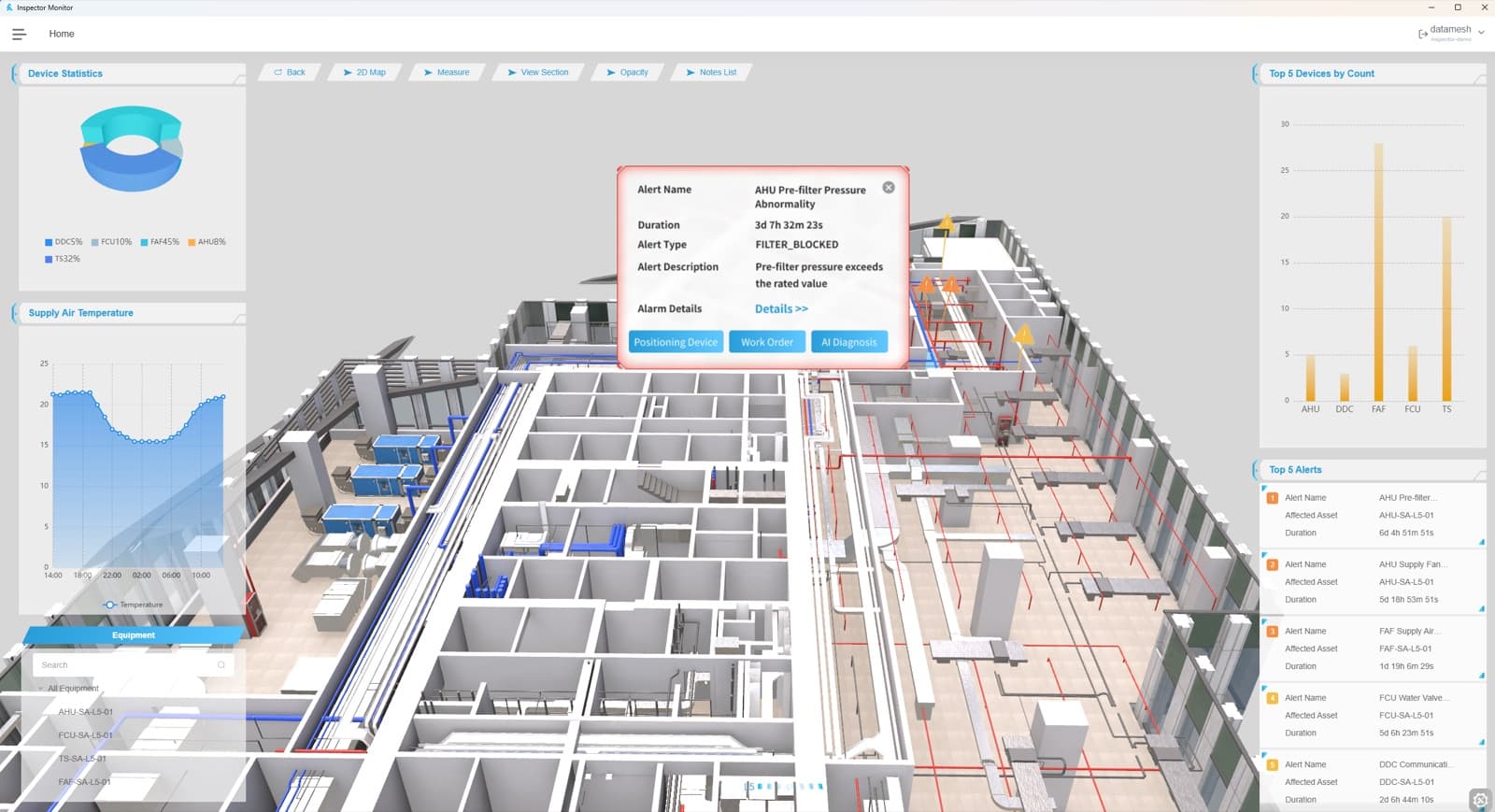
Operational twins need production-ready model assets
BIM, CAD, point clouds, and 3D files usually enter a digital twin program from different teams and project phases. Design models carry rich intent. CAD files describe equipment, layouts, and mechanical details. Point clouds capture field reality. Asset lists, photos, drawings, and commissioning records fill the gaps.
An operational digital twin needs those sources to become a stable asset layer. The model has to open quickly, align with the site, connect to real asset identities, support permissions, and leave clear targets for data binding. Without that preparation, a beautiful model can still be difficult to use in facility management, construction guidance, simulation, or field inspection.
FactVerse Designer and FactVerse Twin Engine help teams turn source models into reusable operational twin assets. The work is both visual and data-oriented: clean the geometry, preserve the right semantics, align the site, and prepare objects that applications can reference.
Source models have different jobs
| Source | Main value in the asset pipeline |
|---|---|
| BIM | Space structure, systems, design intent, equipment placement, documentation links |
| CAD and 3D models | Equipment geometry, production layouts, mechanical parts, vendor objects |
| Point clouds | As-built capture, clearance checks, renovation evidence, field alignment |
| Drawings and photos | Context for missing objects, access paths, hidden works, maintenance areas |
| Asset registers | Asset IDs, names, owners, systems, maintenance responsibility, lifecycle status |
| Operational data | Sensors, meters, alarms, status values, documents, inspection records, procedures |
Each source should keep its owner, version, and review state. That lineage matters when a field team discovers a conflict, an owner asks why a model changed, or a simulation team needs to know which assumptions are inside the scene.
Quality gates before import
Model preparation starts before files enter the authoring tool. Teams should confirm the basics early:
- source owner, license, export date, and approval status
- units, origin, orientation, coordinate system, and site reference
- discipline scope, floor or zone coverage, and model version
- file weight, object count, texture size, and expected runtime target
- naming rules for floors, rooms, systems, assets, and equipment classes
- sensitive geometry, security restrictions, and role-based access needs
- required links to asset registers, documents, and operating systems
These checks keep recurring issues out of every scene: shifted models, oversized files, duplicate equipment, missing asset IDs, unclear ownership, and geometry with weak reuse value.
Prepare geometry for runtime use
Operational applications need models that can be read, rendered, searched, and updated by people who are outside the original modeling team. Geometry preparation usually includes:
- removing construction details outside the target workflow
- splitting large models by site, building, floor, zone, system, or equipment group
- simplifying repeated objects while preserving recognizable shape
- aligning origins and coordinate references across BIM, CAD, and point cloud sources
- creating levels of detail for desktop, mobile, web, and mixed reality use
- keeping object hierarchy stable enough for labels, filters, permissions, and data binding
- checking access areas, maintenance space, safety boundaries, and visibility from field routes
The goal is a model that performs well and still carries the objects that operations teams need to find.
Use point clouds for as-built confidence
Point clouds are especially useful when the real site has changed faster than the documentation. They help teams compare the current facility with design records, locate installed equipment, confirm spacing around service areas, and update areas affected by renovation.
A point cloud can also support discussions between owners, contractors, and facility teams. When a BIM object, CAD file, and field scan disagree, the team can record the discrepancy, update the model source, and keep the decision traceable.
Useful point cloud review topics include equipment position, route clearance, pipe and cable corridor density, service access, floor elevation, ceiling space, rack layout, and temporary works. The review should result in specific model updates or recorded exceptions.
Package objects for operations
The asset pipeline is complete only when objects can participate in operations. A pump, AHU, chiller, rack, robot cell, packaging station, crane, or valve should carry enough context for applications to identify and reuse it.
Key packaging fields include:
- asset ID and display name
- asset class, system, floor, room, zone, and route
- source model, source version, reviewer, and approval status
- document links, drawings, manuals, SOPs, and inspection templates
- data binding targets for sensors, meters, alarms, status values, and work records
- visual state rules such as color, label, visibility, and scenario grouping
- permission class for sensitive rooms, equipment, or customer-specific layouts
This turns 3D content into an operational object library that facility teams, field teams, simulation teams, and AI workflows can share.
The DataMesh asset pipeline
- Collect source packages - Gather BIM, CAD, 3D, point cloud, drawings, photos, asset lists, equipment documents, and operating-system references.
- Validate model basics - Check units, coordinates, origin, file size, model coverage, object hierarchy, naming, ownership, and security boundaries.
- Normalize and segment geometry - Prepare the scene by floor, zone, system, process area, equipment group, or runtime scenario.
- Align field reality - Use point cloud or field records to validate location, clearance, access, and renovation differences.
- Create operational objects - Attach asset IDs, classes, spaces, systems, documents, inspection templates, and data binding targets.
- Author scene behavior - Use Designer for views, labels, panels, scenario logic, floor switching, walkthroughs, and presentation flows.
- Publish to runtime - Use Twin Engine and FactVerse applications to make the prepared assets available for visualization, field guidance, monitoring, simulation, and facility workflows.
- Govern updates - Keep version history, reviewer records, source ownership, and change notes as the site changes.
Readiness checklist
- Can every published model be traced to source files and owners?
- Are units, scale, origin, orientation, and site coordinates validated?
- Is the model segmented for the applications that will use it?
- Are floors, zones, systems, equipment, and routes named consistently?
- Are asset IDs aligned with the customer asset register or maintenance system?
- Are sensitive areas and customer-specific geometry protected by access rules?
- Are point cloud findings converted into model updates or recorded exceptions?
- Are data binding targets prepared before dashboards or AI workflows consume the scene?
- Is there a clear update path when a facility changes after publication?
Public references
The JTC and DataMesh collaboration shows BIM and mixed reality used to improve construction sequence understanding and frontline execution.
The Obayashi construction reference shows BIM data and digital twin content supporting construction process review.
The TOKYO TORCH XR projection tour shows BIM-based digital twin visualization used for stakeholder communication around a planned building.
The FactVerse and NVIDIA Omniverse announcement describes DataMesh's public direction for simulation digital twins and interoperable 3D workflows.