What's New in DataMesh FactVerse: Improved Facility Operations and Simulation Workflows
Explore how the latest FactVerse updates help teams work more efficiently in real-world industrial scenarios. From clearer site visibility to easier simulation setup and content sharing, these improvements deliver a smoother experience across key industrial workflows.
Industrial digital twins are moving beyond visualization. They are becoming executable, predictive, and verifiable environments that help teams understand operations, optimize processes, and make better decisions. They are also becoming important spaces where AI can learn from and test industrial scenarios.
This year, DataMesh introduced the FactVerse AI Agent platform and DataMesh Robotics. FactVerse AI Agent brings AI into industrial workflows to support smarter decision-making and optimization. DataMesh Robotics focuses on physics-based simulation and embodied AI training, helping bring Physical AI closer to real-world industrial use.
As DataMesh’s core digital twin platform, FactVerse continues to evolve. In version 2606, applications built on FactVerse have been updated to improve the experience across facility operations, simulation planning, industrial training, and on-site demonstrations. These updates make it easier for teams to bring digital twins and AI into their daily work.
DataMesh Inspector: See and Understand Facilities Faster
In large campuses, factories, and complex facilities, information is often scattered across systems. The more fragmented the information is, the longer it takes to locate issues. The more complex the site is, the harder it becomes for teams to communicate clearly.
With this update, DataMesh Inspector further improves its unified spatial view, helping operations teams understand site conditions more intuitively and respond to issues faster.
CCTV Feeds in 3D Scenes
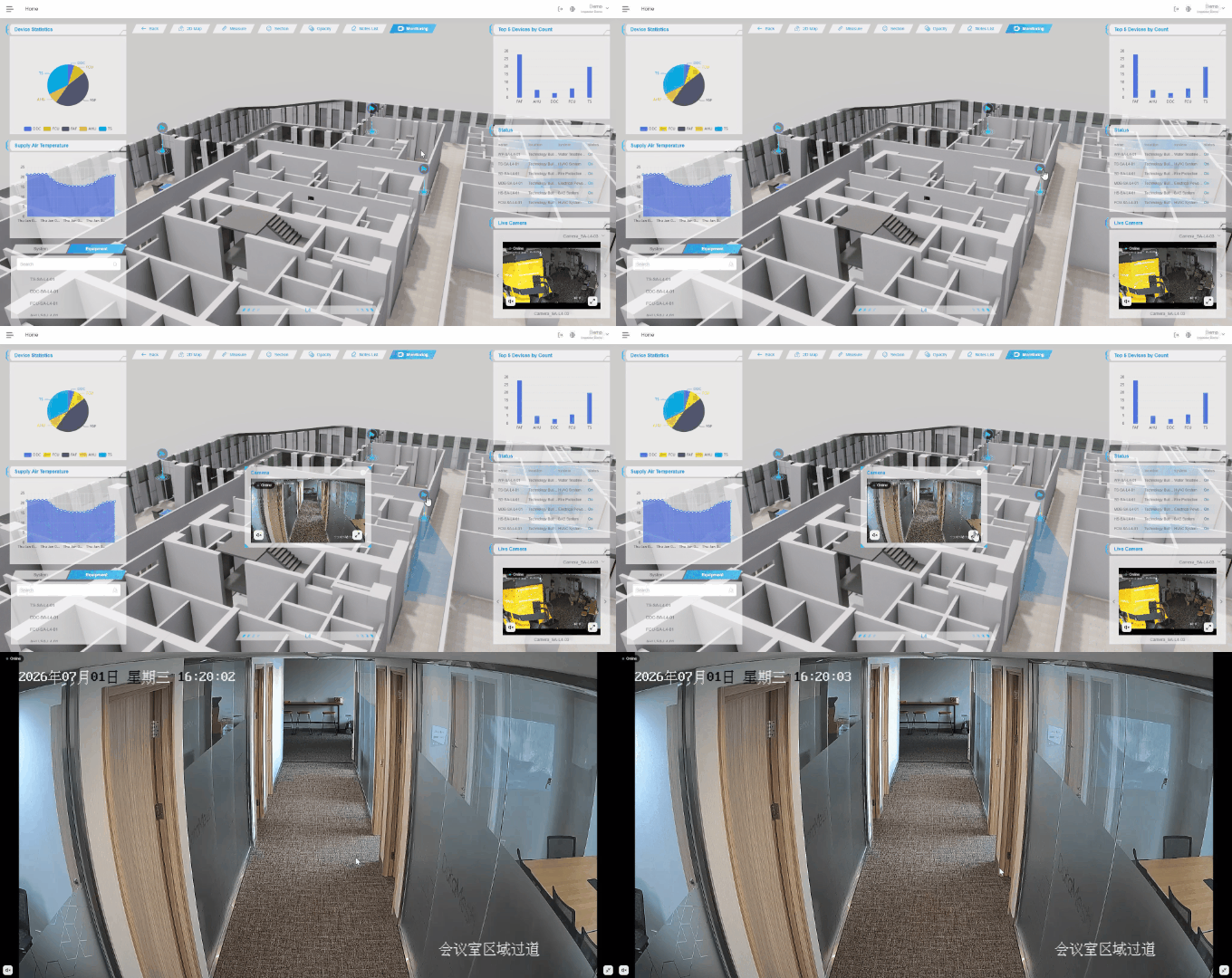
CCTV camera locations, live video feeds, and monitoring coverage can now be shown directly in a 3D scene.
Operations teams no longer need to switch back and forth between a surveillance system and the digital twin platform. They can verify site conditions in one shared environment.
When an alarm or abnormal event occurs, users can quickly locate the affected area, check live footage from nearby cameras, and assess the current situation, surrounding environment, and potential impact.
3D Walkthroughs and 2D Map Navigation
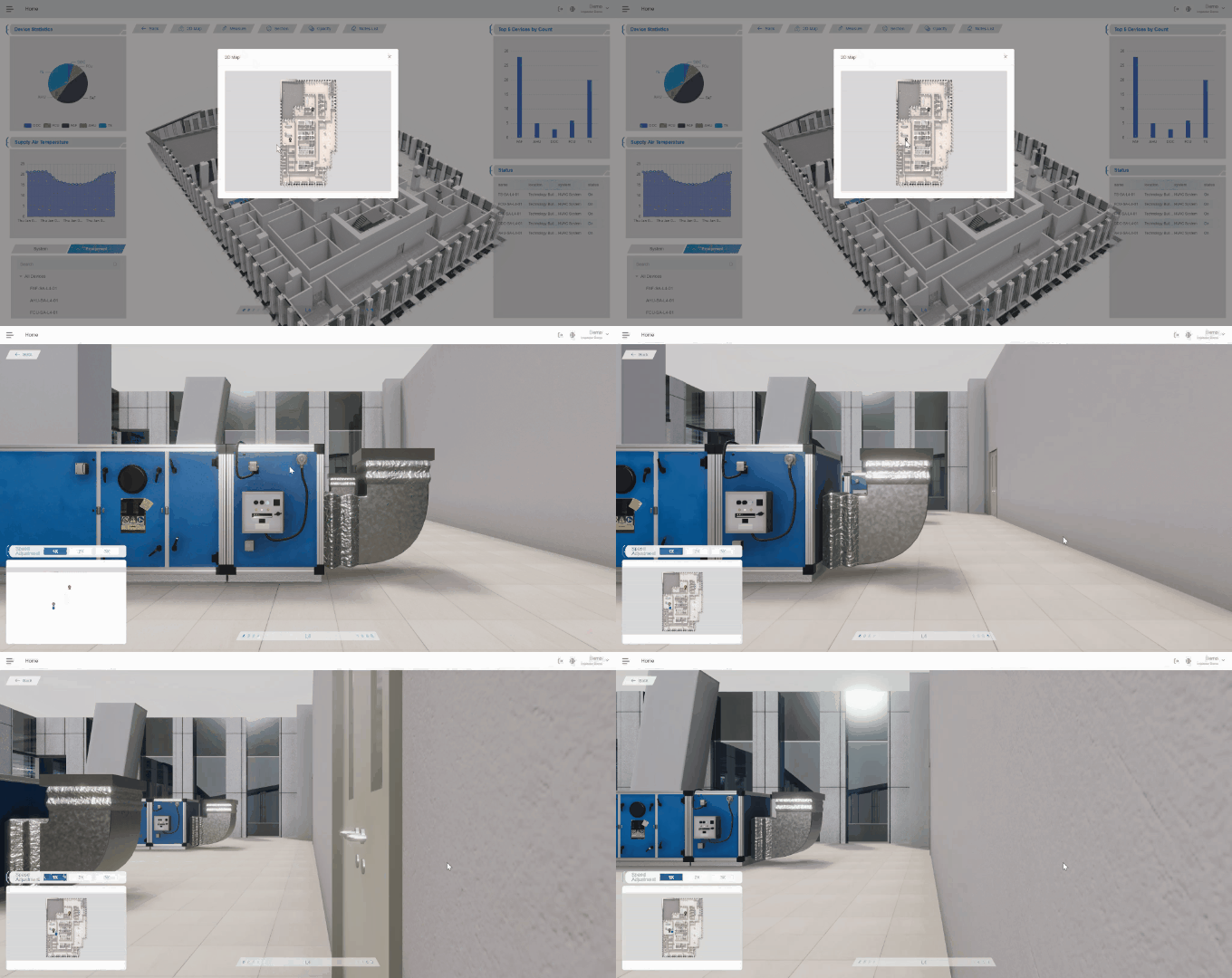
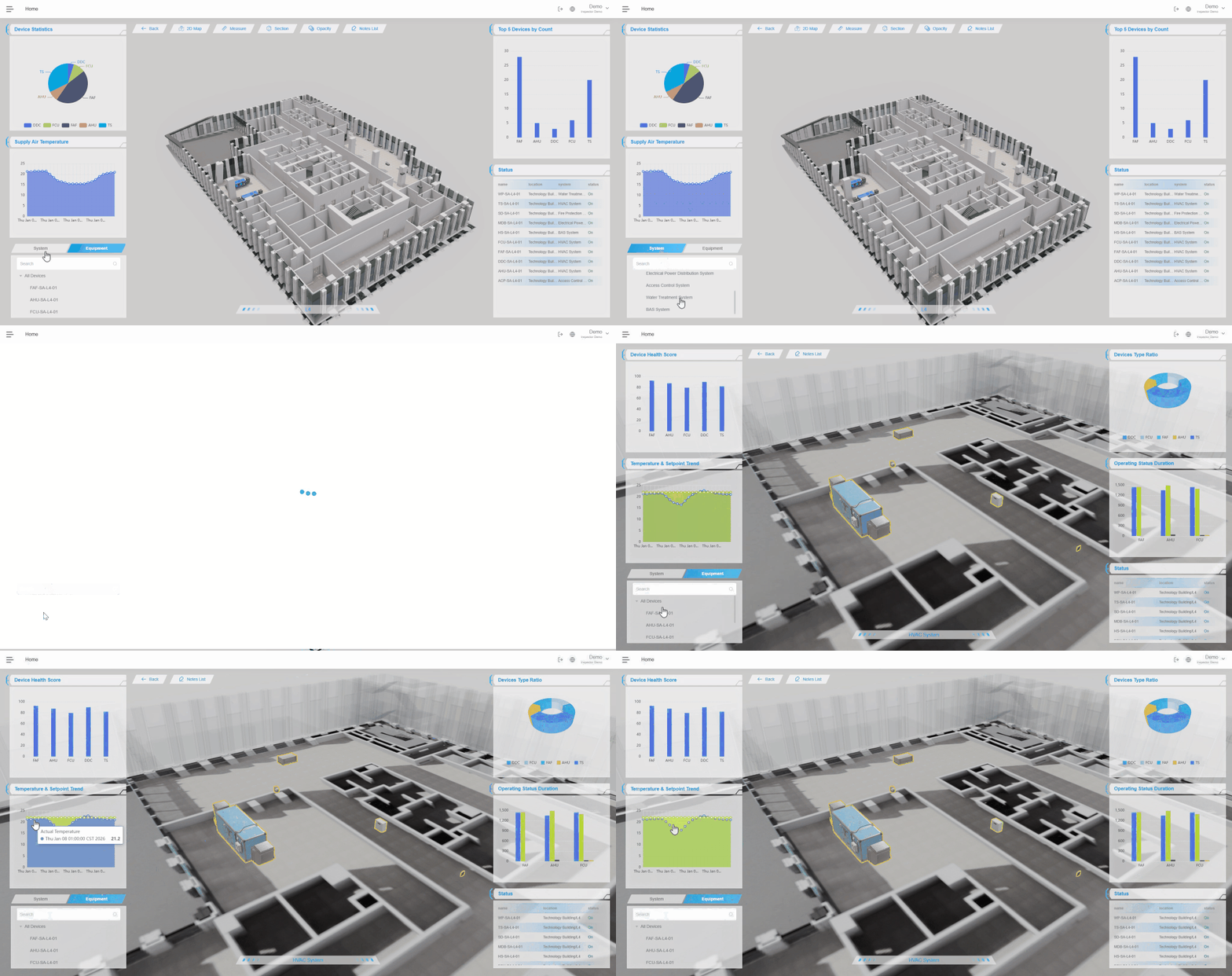
Inspector now supports quick navigation through 2D maps and first-person 3D walkthroughs.
Even when team members are not on site, they can virtually move through corridors, check equipment locations, view asset information, and understand the surrounding environment. New employees can also use 3D walkthroughs to become familiar with inspection routes before going on site.
System-Based Views with One-Click Highlighting
Large facilities usually include multiple systems, such as HVAC, fire protection, electrical systems, and pipelines. These systems often overlap in physical space and contain large numbers of assets, making inspection and troubleshooting more difficult.
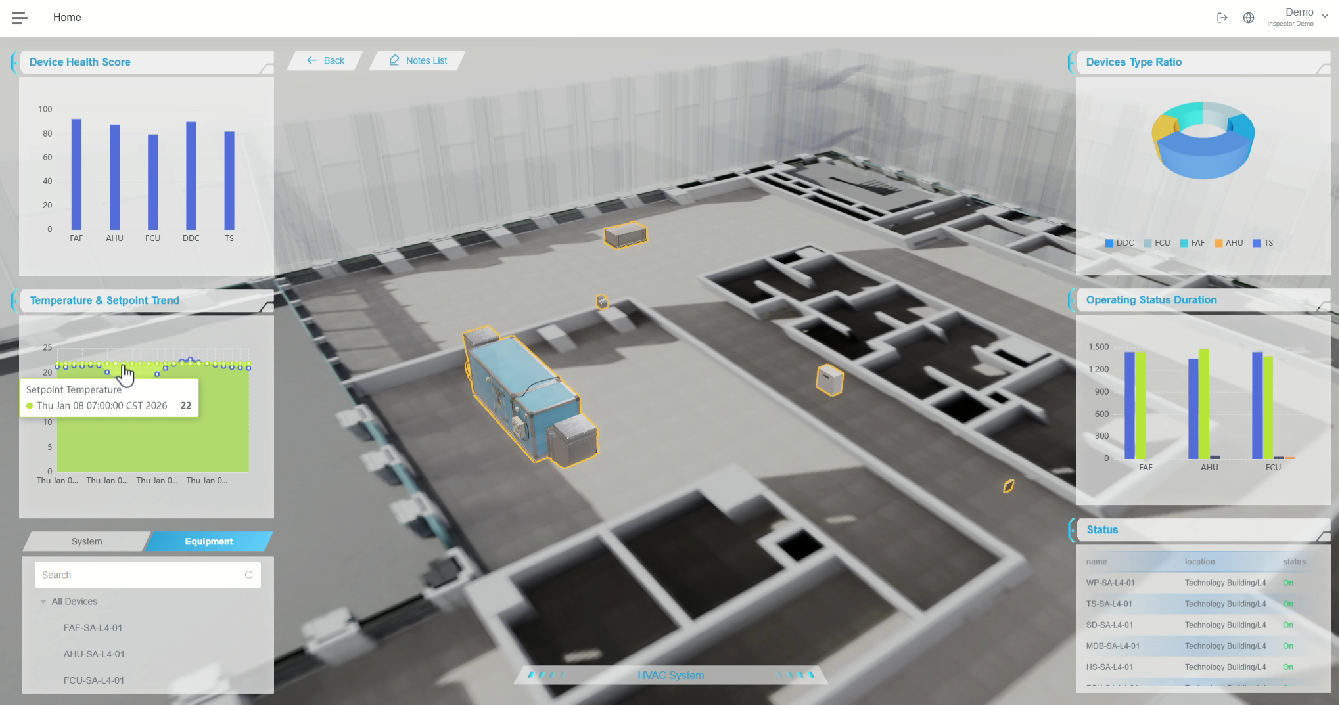
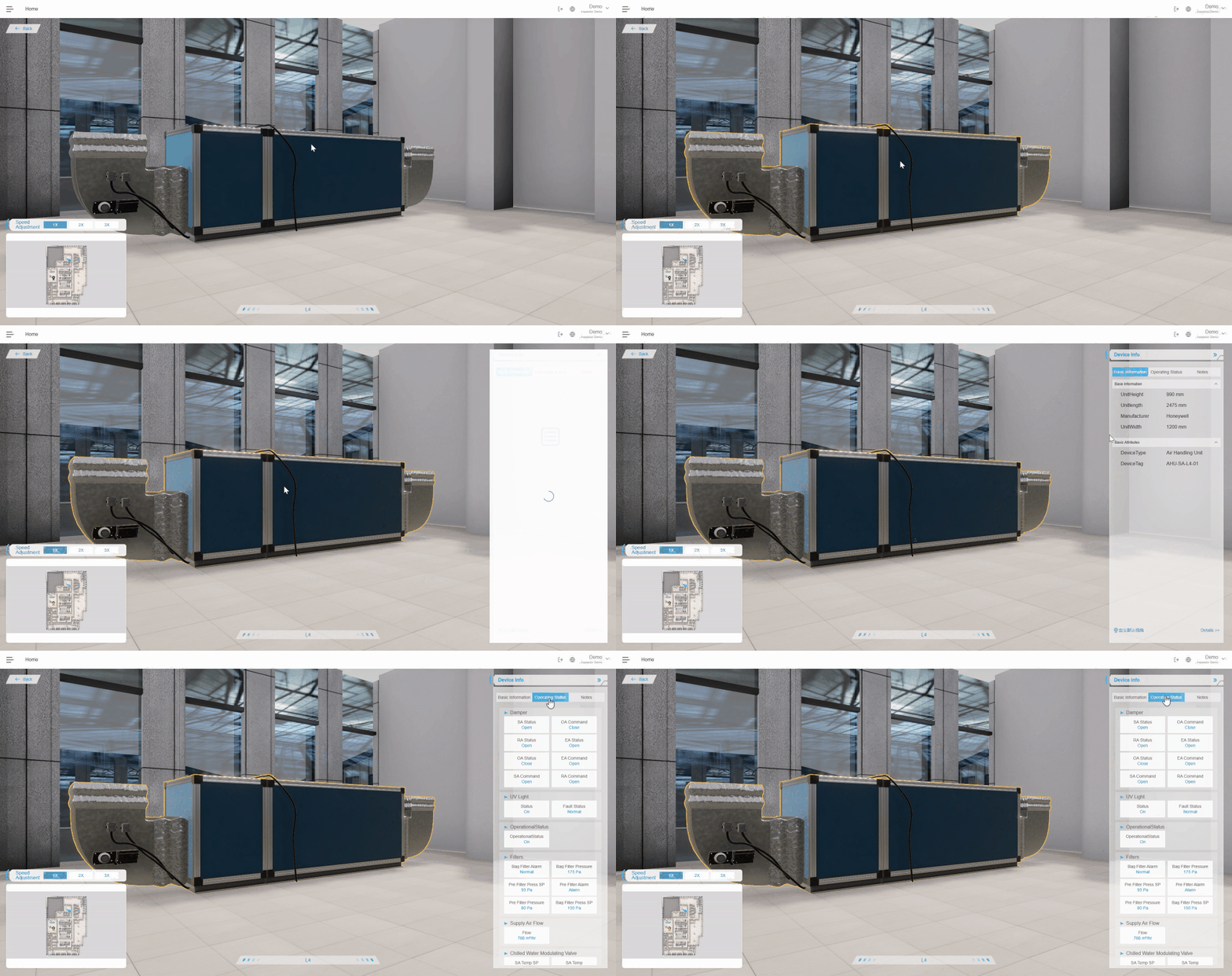
Inspector now supports system-based views. When users select a system, related equipment is automatically highlighted in the 3D scene. This makes it easier to understand system layout, routes, and connected assets at a glance. A system-level analytics dashboard is also displayed, helping operations teams monitor equipment status more effectively.
Improved Asset and Alarm Management
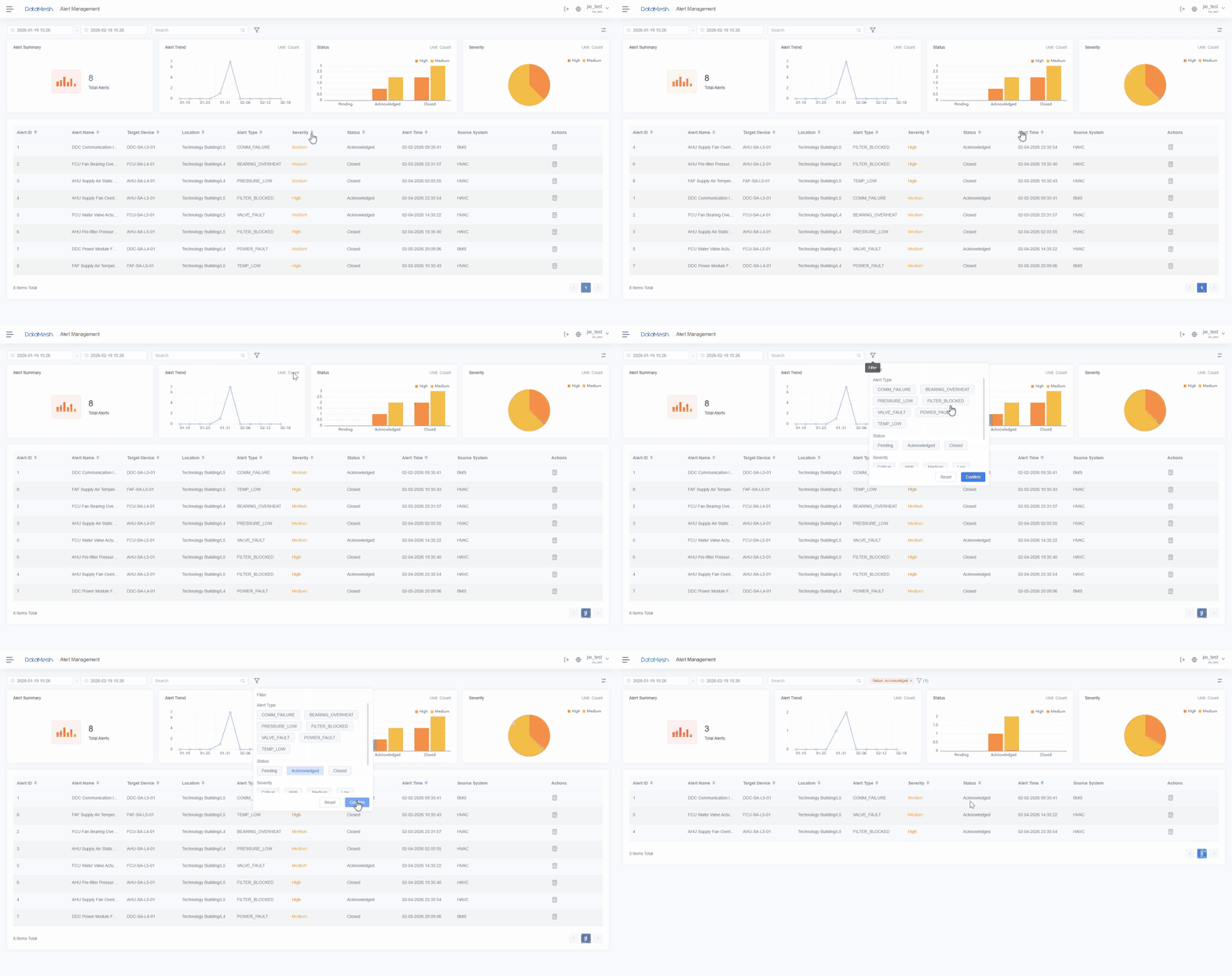
Asset and alarm management now supports custom fields, filtering, and sorting. The experience has also been improved on both PC and mobile devices, helping operations teams quickly find key equipment and alarms that need attention.
FactVerse Designer: Smoother Editing and Enhanced Simulation Workflows
FactVerse Designer helps users build digital twin scenarios and simulations with no-code editing tools. Teams can visually create production lines, warehouses, and other industrial environments without complex development work.
In this update, Designer brings improvements to both editing and simulation workflows.
Easier Creation of Complex Conveyor Lines
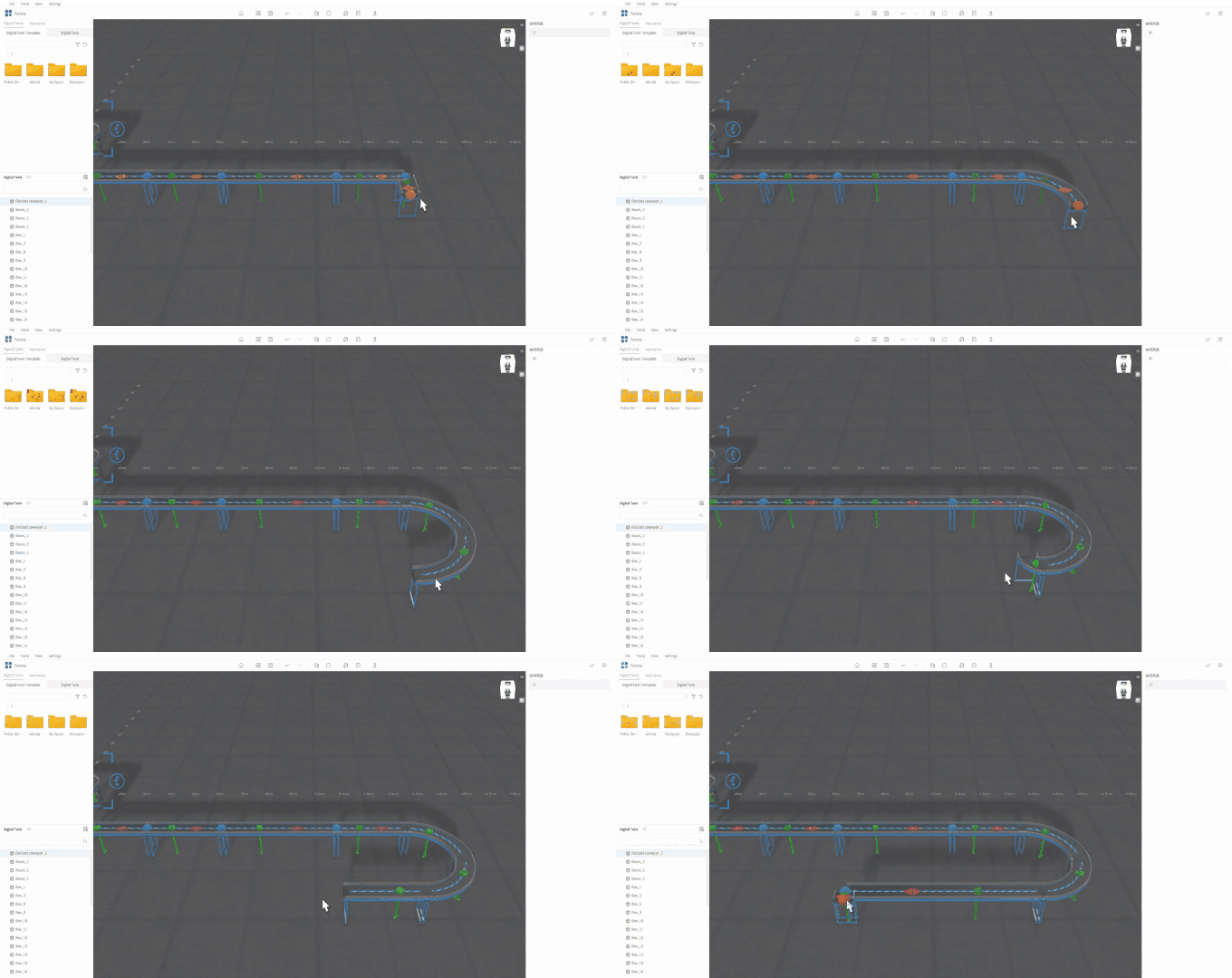
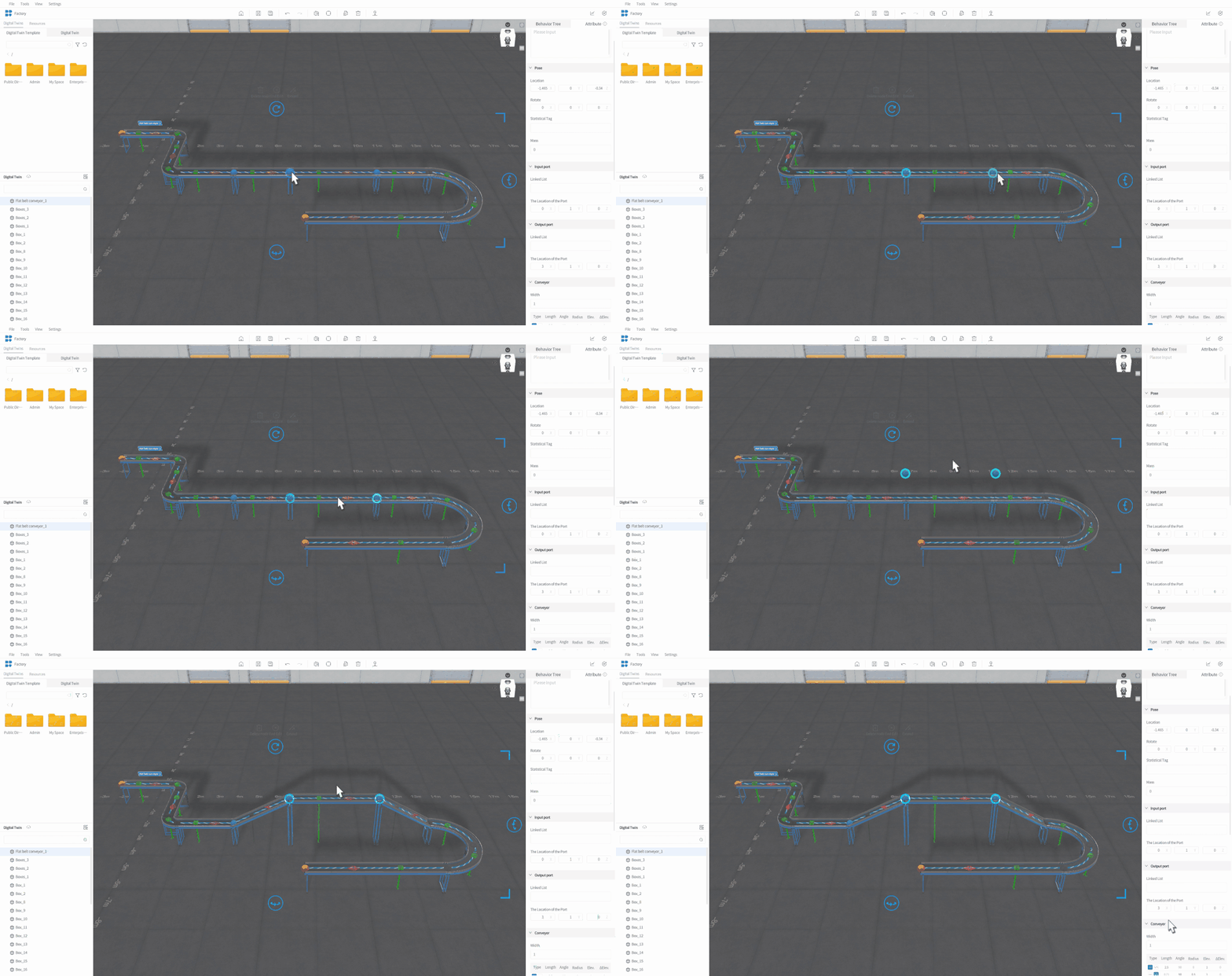
Conveyors are a common part of production line and logistics simulations. In this update, the conveyor editing tool has been enhanced to support continuous multi-segment drawing, curved sections, height differences, and one-to-many connections.
When building sorting lines, assembly lines, or warehouse conveyor routes, users can now create turns, elevation changes, and multi-exit paths more smoothly. This makes it faster to recreate real production layouts.
Enhanced Warehouse and Logistics Simulation
In warehousing and manufacturing logistics, simulation needs to show more than material movement. It also needs to reflect operations such as handling, lifting, inbound storage, and outbound delivery.
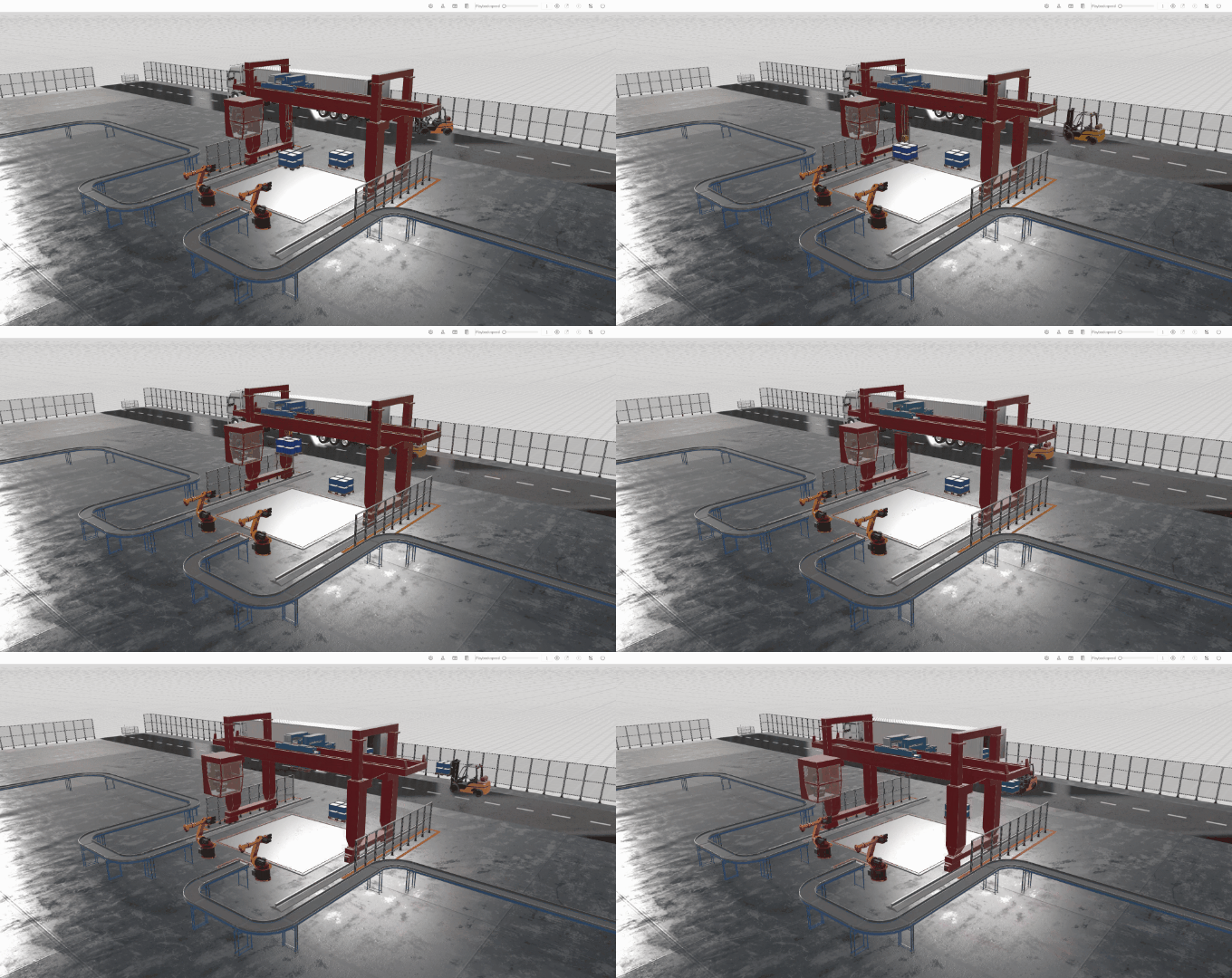
Designer now includes a new gantry crane tool for simulating common handling and lifting operations. Together with enhanced inbound and outbound behavior trees, it helps users build more realistic warehouse and manufacturing logistics workflows.
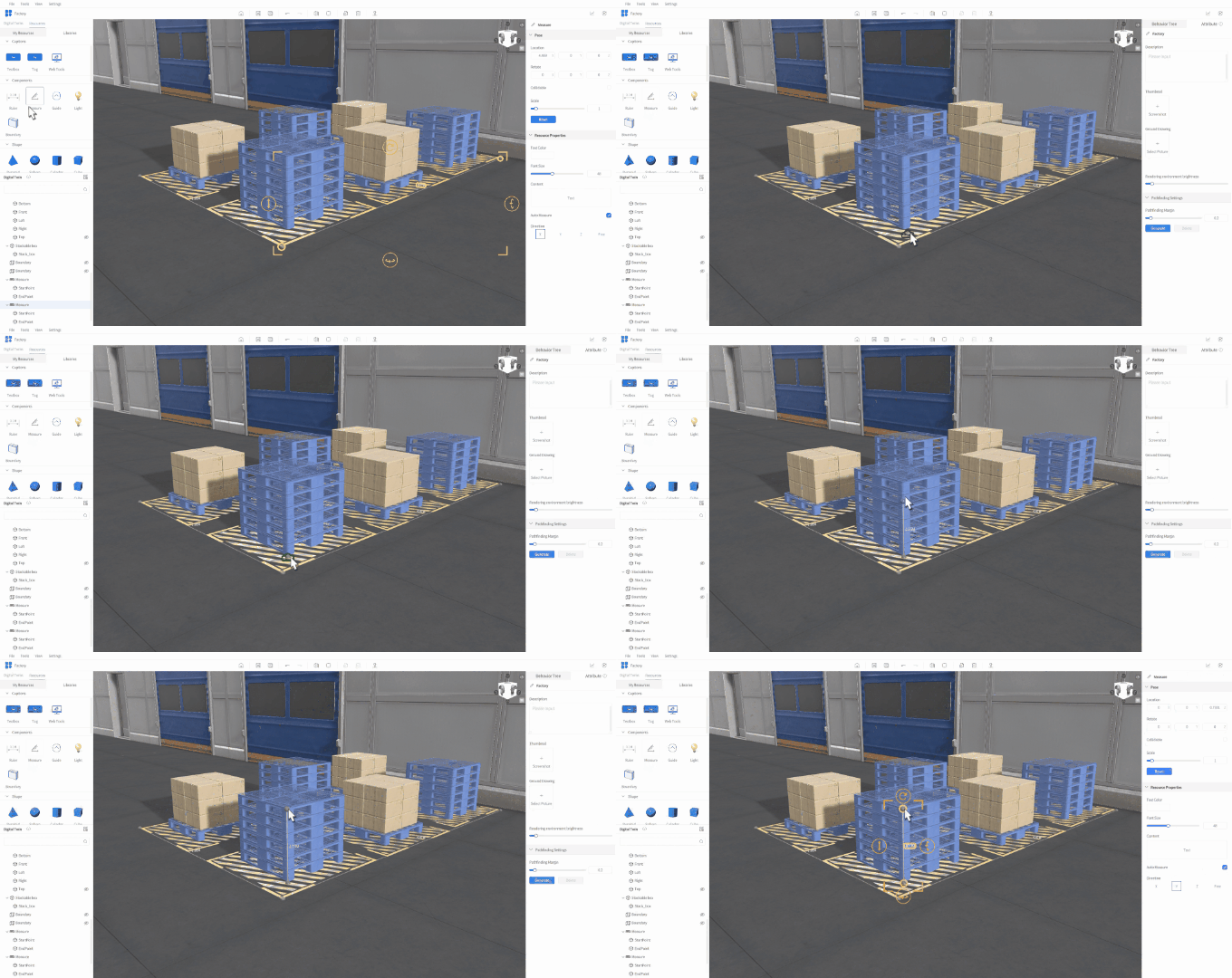
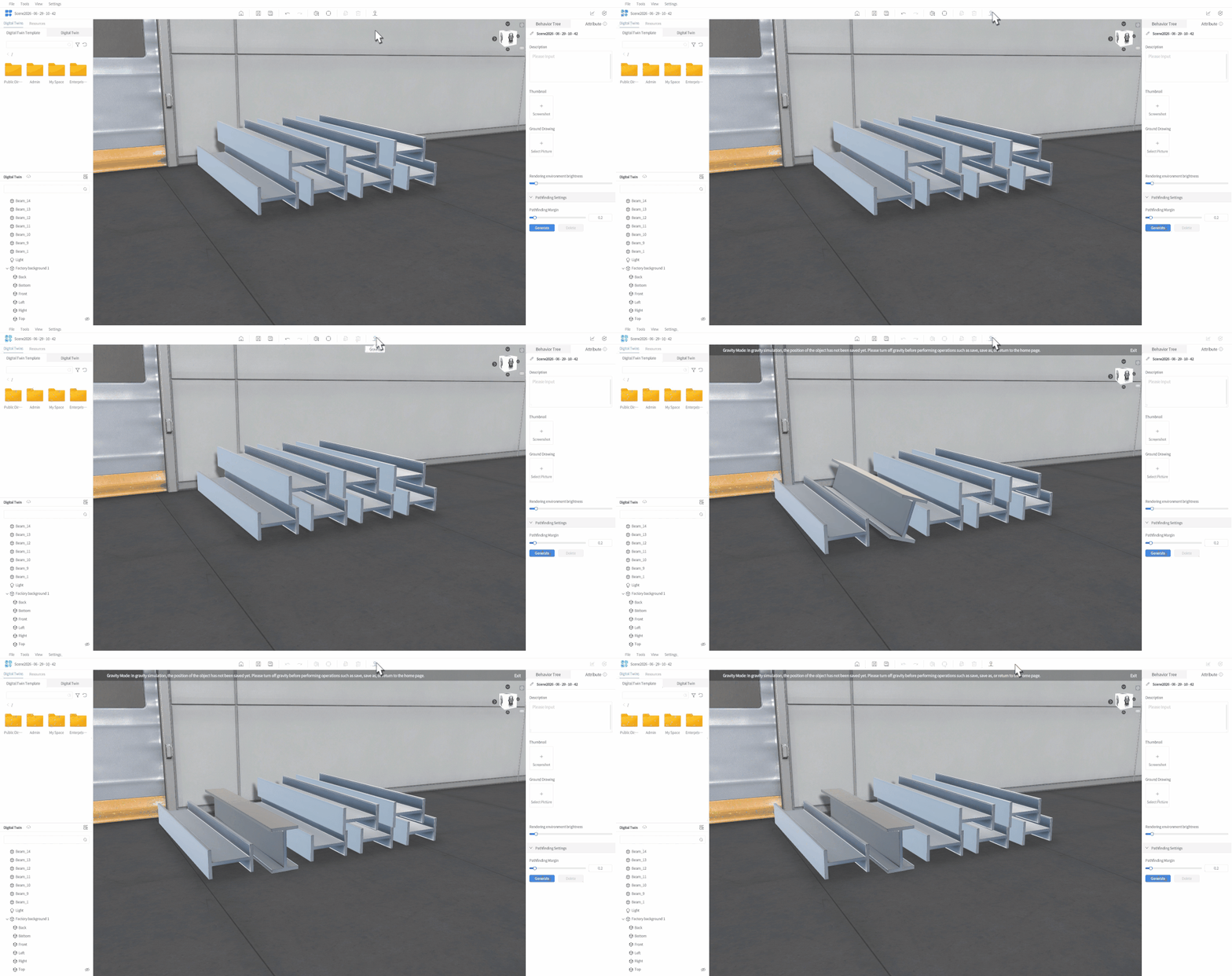
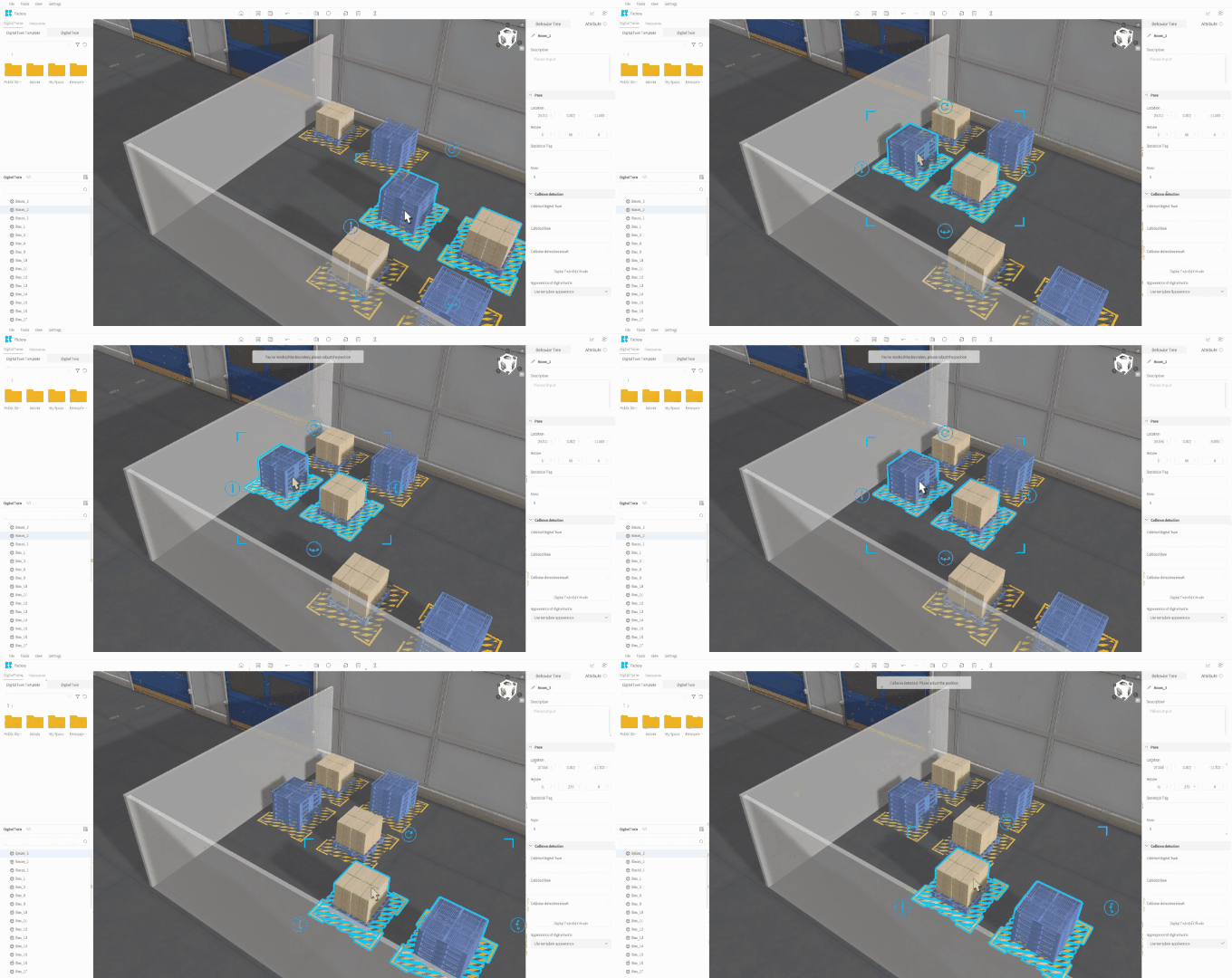
This update also adds measurement tools, gravity simulation, and the ability to set up virtual detection zones for boundary and collision checks. These capabilities support dimension measurement, stacking validation, loading simulation, and height-limit checks. For example, when planning the loading and transport of irregular steel materials, users can simulate material placement and gravity effects in advance to identify risks such as over-limit loading, tipping, or collisions.
More Flexible Twin Appearance Editing
In real projects, equipment of the same model, such as pumps, motors, fans, or conveyors, may be used in different locations, workstations, or asset groups.
Designer now allows users to replace a twin’s appearance or add nameplate labels while keeping its attributes and interaction logic unchanged. This makes it easier to distinguish similar equipment and improves editing efficiency when building large or complex scenes.
DataMesh Director: Easier XR Content Creation and On-Site Sharing
This update also brings several improvements to DataMesh Director, making XR content creation, model processing, and on-site demonstrations more convenient.
- DataMesh One now supports QR code access. Users can scan a QR code to view content without logging in. For trade shows, customer meetings, and training sessions, this reduces the uncertainty caused by login steps, resource searching, and permission checks, making demonstrations smoother and easier to run.
- DataMesh Studio has improved its preferences panel and scenarios import process. It also now supports custom background images for text, labels, buttons, and IoT data tools, giving users more flexibility in content editing and information display.
- DataMesh Importer now offers more flexible model origin and center-of-gravity settings. Users can choose to keep the original origin point from the model file, reducing manual adjustments after import and helping them move more quickly into scene building, content editing, and demo production.
Built Around Real-World Business Needs
This FactVerse update is designed around real business scenarios, with continued improvements to both product capabilities and the user experience. It helps operations teams understand site conditions faster, enables engineers to build and validate simulation workflows more efficiently, and makes it easier for training and demo teams to create and share content.
Looking ahead, DataMesh will continue to make digital twins easier to adopt and apply in day-to-day business. We will help enterprises create real value across planning, simulation, training, operations, and decision-making, while continuing to build the digital infrastructure needed for the era of Physical AI. As digital twins evolve, they will not only support operational decisions, but also become environments where Physical AI can run, learn, and be validated.
Try the Latest Version
Apply for a FREE TRIAL today to experience the latest DataMesh FactVerse platform products.
To learn more about DataMesh industrial digital twin solutions, contact us at service@datamesh.com.